
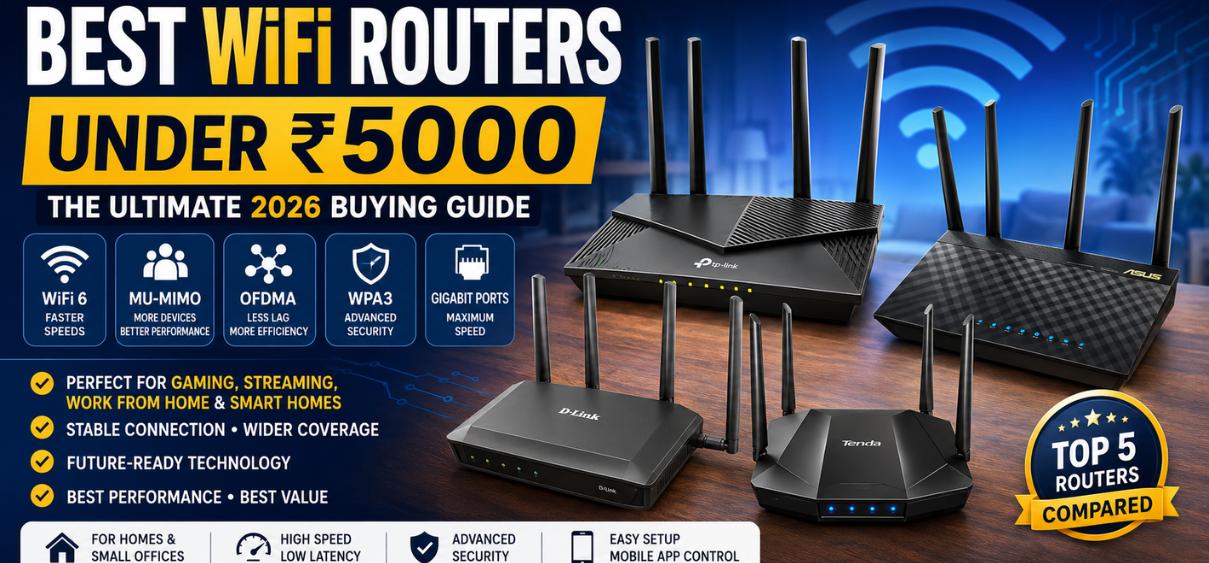
Best WiFi Routers Under ₹5000
A reliable WiFi router has become one of the most important devices in every modern home and office. Whether we work remotely, attend online classes, stream 4K content, play competitive online games, connect smart home devices, or simply browse the internet, a powerful router ensures stable, fast, and uninterrupted connectivity.
Fortunately, spending a fortune is no longer necessary. The best WiFi routers under ₹5000 now offer premium features that were once available only in expensive networking equipment. Today's routers include WiFi 6 technology, dual-band connectivity, MU-MIMO, OFDMA, Beamforming, Gigabit Ethernet ports, parental controls, VPN support, mesh compatibility, advanced security protocols, and mobile app management, making them ideal for most households.
This comprehensive guide explores the top routers available within the ₹5000 budget, explains their features, compares specifications, highlights advantages and disadvantages, and helps us choose the right router according to our internet usage.
Table of Contents
-
Best WiFi Routers Under ₹5000
-
Why Upgrade Your WiFi Router?
-
WiFi 5 vs WiFi 6
-
Single Band vs Dual Band
-
Important Features to Consider
-
Best WiFi Routers Under ₹5000
-
Comparison Table
-
Buying Guide
-
Gaming Performance
-
Streaming Performance
-
Smart Home Compatibility
-
Security Features
-
Installation Guide
-
Optimization Tips
-
Common Mistakes
-
Final Verdict
-
25 Frequently Asked Questions
Why Buy a WiFi Router Under ₹5000?
Many internet service providers include a basic router with their broadband connection. While these routers can provide internet access, they often struggle when several devices connect simultaneously. Slow speeds, weak coverage, buffering during streaming, lag while gaming, and unstable video calls become common issues.
Upgrading to a high-quality router under ₹5000 provides significant improvements, including:
-
Better WiFi coverage
-
Higher internet speeds
-
Reduced network congestion
-
Improved gaming performance
-
Stable 4K video streaming
-
Lower latency
-
Enhanced security
-
Better parental controls
-
Easy mobile app management
-
Support for dozens of connected devices
Considering the value offered, routers in this price segment deliver excellent performance for apartments, medium-sized homes, and small offices.
WiFi 5 vs WiFi 6: Which Is Better?
|
Feature |
WiFi 5 |
WiFi 6 |
|---|---|---|
|
Maximum Speed |
Excellent |
Superior |
|
Device Capacity |
Good |
Excellent |
|
Battery Efficiency |
Standard |
Improved |
|
Gaming |
Good |
Excellent |
|
Video Streaming |
Excellent |
Outstanding |
|
Smart Home Devices |
Good |
Excellent |
|
Latency |
Moderate |
Very Low |
|
Security |
WPA2 |
WPA3 Support |
|
Future Ready |
Moderate |
Excellent |
For buyers purchasing a router today, WiFi 6 offers better long-term value and improved efficiency, especially in homes with many connected devices.
Single BandSingle Band vs Dual Band Routers
Single-band routers operate only on the 2.4GHz frequency, offering wider coverage but lower speeds.
Advantages:
-
Better wall penetration
-
Larger coverage area
-
Lower cost
Disadvantages:
-
Slower speeds
-
More interference
-
Not ideal for gaming
Dual Band
Dual-band routers support both 2.4GHz and 5GHz frequencies.
Advantages:
-
Faster speeds
-
Less interference
-
Better gaming
-
Smooth 4K streaming
-
Lower latency
-
Improved multitasking
For most households, dual-band routers are the preferred choice.
Important Features to Look For
1. WiFi 6 Technology
The newest wireless standard provides:
-
Better efficiency
-
Faster downloads
-
Lower latency
-
Improved performance
-
Support for more connected devices
2. MU-MIMO Technology
Multi-User Multiple Input Multiple Output allows the router to communicate with several devices simultaneously instead of serving one device at a time.
Benefits include:
-
Reduced waiting time
-
Faster downloads
-
Better streaming
-
Lower lag
3. OFDMA
OFDMA improves efficiency by splitting wireless channels into smaller units.
Advantages:
-
Better network efficiency
-
Lower latency
-
Higher device capacity
-
Reduced congestion
4. Beamforming
Instead of broadcasting WiFi equally in every direction, Beamforming focuses the wireless signal toward connected devices.
Benefits:
-
Stronger signal
-
Better coverage
-
Faster speed
-
More reliable connections
5. Gigabit Ethernet Ports
Even in a wireless world, wired connections remain essential.
Ideal for:
-
Gaming consoles
-
Smart TVs
-
Desktop PCs
-
NAS storage
-
Streaming devices
Gigabit ports provide much faster data transfer than traditional Fast Ethernet ports.
6. Quality of Service (QoS)
QoS prioritizes important traffic.
Examples include:
-
Video conferencing
-
Gaming
-
Streaming
-
Voice calls
This reduces lag and buffering during peak internet usage.
Best WiFi Routers Under ₹5000
1. TP-Link Archer AX23
Key Specifications
-
WiFi 6
-
AX1800
-
Dual Band
-
Gigabit Ports
-
WPA3 Security
-
Beamforming
-
OFDMA
-
MU-MIMO
Pros
-
Excellent value
-
Fast wireless performance
-
Easy installation
-
Stable coverage
-
Future-ready technology
-
Strong security
Cons
-
No USB port
-
Basic parental controls
Best For
-
Homes
-
Gaming
-
Streaming
-
Remote work
-
Online education
2. ASUS RT-AX53U
Key Specifications
-
WiFi 6
-
Dual Band
-
AiProtection
-
MU-MIMO
-
Beamforming
-
Gigabit Ports
-
VPN Support
Pros
-
Premium security
-
Excellent firmware
-
Reliable performance
-
Strong parental controls
-
Stable gaming
Cons
-
Slightly higher pricing
-
USB performance is average
Best For
-
Families
-
Professionals
-
Smart homes
3. TP-Link Archer C80
Key Specifications
-
AC1900
-
Dual Band
-
Four High-Gain Antennas
-
MU-MIMO
-
Beamforming
-
Gigabit Ethernet
Pros
-
Excellent coverage
-
Strong signal strength
-
Affordable
-
Easy setup
Cons
-
WiFi 5 only
-
No WPA3
Ideal For
-
Apartments
-
Medium-sized homes
-
Streaming
4. D-Link DIR-X1560
Specifications
-
AX1500
-
WiFi 6
-
Dual Band
-
OFDMA
-
MU-MIMO
-
WPA3
-
Gigabit Ports
Advantages
-
Fast downloads
-
Stable coverage
-
Excellent value
-
Low latency
Disadvantages
-
Limited advanced features
-
Smaller app ecosystem
5. Tenda RX2 Pro
Specifications
-
AX1500
-
Dual Band
-
Five High-Gain Antennas
-
WiFi 6
-
MU-MIMO
-
OFDMA
Advantages
-
Affordable
-
Strong coverage
-
Easy setup
-
Good app
Disadvantages
-
Average firmware updates
-
Limited advanced customization
Comparison Table
|
Router |
WiFi Standard |
Speed Class |
Bands |
Gigabit Ports |
Best For |
|
TP-Link Archer AX23 |
WiFi 6 |
AX1800 |
Dual |
Yes |
Overall Performance |
|
ASUS RT-AX53U |
WiFi 6 |
AX1800 |
Dual |
Yes |
Security |
|
TP-Link Archer C80 |
WiFi 5 |
AC1900 |
Dual |
Yes |
Coverage |
|
D-Link DIR-X1560 |
WiFi 6 |
AX1500 |
Dual |
Yes |
Value |
|
Tenda RX2 Pro |
WiFi 6 |
AX1500 |
Dual |
Yes |
Budget Buyers |
How to Choose the Right Router
Selecting the ideal WiFi router depends on several practical factors rather than simply choosing the model with the highest advertised speed.
Consider Your Internet Plan
-
Up to 100 Mbps: AC1200 or better.
-
100–300 Mbps: AC1900 or AX1500.
-
300–500 Mbps: AX1800.
-
Above 500 Mbps: AX3000 or higher.
Home Size
|
Home Size |
Recommended Router |
|
1 BHK |
AC1200 |
|
2 BHK |
AX1500 |
|
3 BHK |
AX1800 |
|
Large Home |
Mesh WiFi System |
Number of Connected Devices
-
5 to 10 devices: AC1200
-
10 to 20 devices: AX1500
-
20 to 40 devices: AX1800
-
40+ devices: Mesh-compatible WiFi 6 router
Gaming Requirements
For online gaming, prioritize:
-
Low latency
-
QoS support
-
Gigabit Ethernet
-
WiFi 6
-
Beamforming
-
MU-MIMO
Streaming Performance
For households that frequently stream movies and TV shows, choose a router with:
-
Dual-band connectivity
-
WiFi 6 support
-
Strong 5 GHz performance
-
Gigabit WAN/LAN ports
-
MU-MIMO for simultaneous streams
A capable router in this price range can comfortably handle multiple 4K streams while maintaining stable browsing and video calls on other devices.
Security Features to Look For
Modern routers should include:
-
WPA3 encryption
-
Automatic firmware updates
-
Guest WiFi network
-
Device access controls
-
Firewall protection
-
VPN support (where available)
Keeping firmware updated and using strong administrator passwords significantly improves network security.
Quick Installation Tips
-
Place the router in a central, elevated location.
-
Avoid positioning it behind thick walls or inside cabinets.
-
Keep it away from microwaves and other sources of wireless interference.
-
Use the 5 GHz band for high-speed devices and 2.4 GHz for long-range coverage.
-
Update the router firmware after installation.
-
Create separate passwords for the administrator account and WiFi network.
Common Buying Mistakes
Avoid these common pitfalls:
-
Buying a single-band router for a busy household.
-
Ignoring the maximum speed of your broadband plan.
-
Choosing a router with Fast Ethernet instead of Gigabit ports.
-
Placing the router in a corner of the home.
-
Never updating firmware.
-
Using default login credentials.
-
Overlooking WiFi 6 when purchasing a new router for long-term use.
Final Verdict
The best WiFi router under ₹5000 depends on your needs:
-
Best Overall: TP-Link Archer AX23
-
Best for Security: ASUS RT-AX53U
-
Best Coverage: TP-Link Archer C80
-
Best Budget WiFi 6: D-Link DIR-X1560
-
Best Value: Tenda RX2 Pro
For most users, investing in a dual-band WiFi 6 router provides faster speeds, lower latency, better device handling, and improved future compatibility, making it an excellent upgrade for home or small office networks.
25 Frequently Asked Questions
-
Which is the best WiFi router under ₹5000?
TP-Link Archer AX23 is one of the strongest all-round choices. -
Is WiFi 6 worth buying?
Yes, it offers better efficiency, speed, and future compatibility. -
Can these routers handle 4K streaming?
Yes, dual-band WiFi 6 models can handle multiple 4K streams. -
Do I need Gigabit ports?
Yes, especially for high-speed broadband plans. -
What is Beamforming?
It directs the wireless signal toward connected devices for improved coverage. -
What is MU-MIMO?
It allows simultaneous communication with multiple devices. -
What is OFDMA?
A technology that improves efficiency by sharing channels among multiple devices. -
Is dual-band better than single-band?
Yes, for speed and reduced interference. -
Can I use these routers with any ISP?
Yes, provided they support your ISP's connection type. -
Do these routers support gaming?
Yes, especially WiFi 6 models with QoS. -
How many devices can they support?
Typically 20 to 40 devices, depending on the model. -
What is WPA3?
The latest WiFi security standard. -
Can I create a guest network?
Most modern routers support guest WiFi. -
How often should firmware be updated?
Whenever updates are available. -
Is a mesh system necessary?
Only for very large homes or multi-floor buildings. -
Can I manage the router using a mobile app?
Most leading brands provide dedicated apps. -
Does antenna count always mean better coverage?
Not always. Antenna design and hardware quality also matter. -
Can I connect smart home devices?
Yes, these routers support IoT devices. -
Which band is better for gaming?
The 5 GHz band generally provides lower latency. -
Can I prioritize gaming traffic?
Yes, on routers with QoS support. -
Do these routers support VPNs?
Some models include VPN client or server support. -
What is the ideal router placement?
A central, elevated, open location. -
Will a new router increase my ISP speed?
It won't exceed your plan's limit but can improve wireless performance and stability. -
How long does a quality router last?
Typically 4 to 6 years with proper maintenance. -
Which router offers the best value under ₹5000?
The TP-Link Archer AX23 balances performance, features, and price exceptionally well.