Similar Products









—
—
Operation successful!


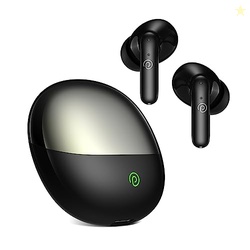
The Bass Edition comes equipped with Bluetooth v5.0 and is fully compatible with all smartphones..BLUETOOTH TROUBLESHOOTING STEPS: Bluetooth Connection : To connect with OnePlus smartphones : Separate the ear plugs, or long press the power key for about 1 second. Wait for the earphones' white indicator to icker, then turn on Bluetooth on your device. Click OK in the notication window that automatically pops up in the device to connect. Note: If your OnePlus device has previously connected to another Bluetooth device, please click Add New Device." 20 / 17 Hours Endurance.NOTE: Magnetic Control: Your earphones will automatically turn on and connect to the last device they were paired with when you separate them. If no connection is found, the earphones will shut down after ve minutes. Turning off the earphones: OnePlus Bullets Wireless Magnetic Control will automatically turn them off when you join them together
Sometimes you may see variation in product price due to “different seller” or “offer ended”.
Product prices and availability are accurate as of the date/time indicated above and are subject to change. Any price and availability information displayed on the Merchant’s Site at the time of purchase will apply to the purchase of this product..
roobai.com has no control over and makes no warranty or guarantee regarding the quality, usability, safety, morality or legality of any aspect of the items listed, the truth or accuracy of the listings or the ability of sellers to sell items or honor their coupon or promotion..
Coupons and Deals are valid at the time of posting and it may expire anytime.
We may get a commission if you purchase this Product from the Seller. But It does not add any additional cost to the buyer while buying products.
roobai.com is a participant in the Amazon Services LLC Associates Program, an affiliate advertising program designed to provide a means for website owners to earn fees by linking to Amazon.in.