
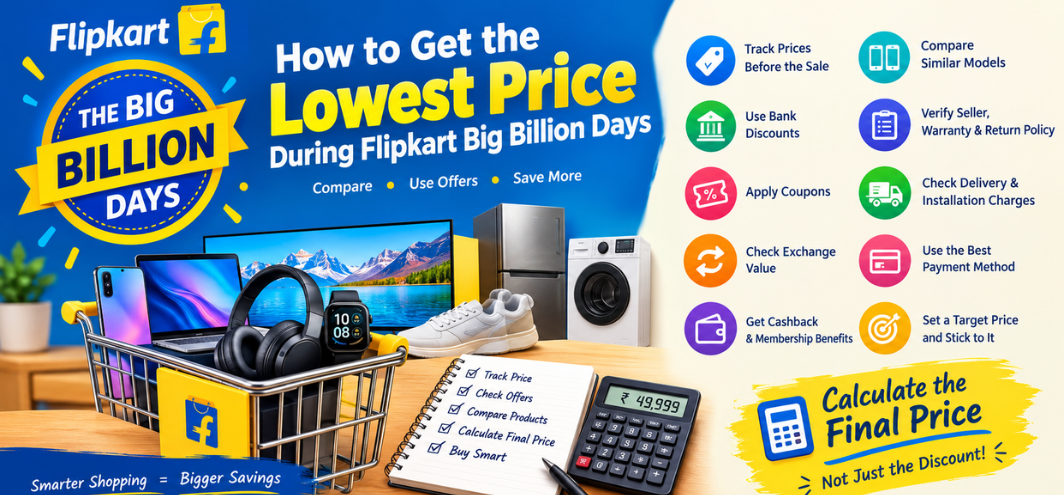
The lowest price during Flipkart Big Billion Days rarely comes from the displayed sale price alone. We can reduce the final amount by combining the sale discount with bank offers, exchange bonuses, coupons, membership benefits, cashback, no-cost EMI offers, and price comparisons. The most effective approach is to calculate the final payable price before purchasing rather than relying only on the headline discount.
During a major sale, thousands of products can receive temporary price reductions, but not every advertised discount represents the same level of savings. A product marked “50% off” may still cost more than a similar product with a smaller advertised discount. We therefore need a systematic method for checking the actual final price, comparing alternatives, and timing the purchase correctly.
This guide explains how to find the lowest possible price during Flipkart Big Billion Days, how to stack eligible offers, how to use bank discounts and exchange benefits, how to identify misleading discounts, and how to decide whether buying immediately or waiting for another price drop makes more sense.
How to Get the Lowest Price During Flipkart Big Billion Days
To maximize savings during Big Billion Days, we should calculate the purchase using this basic formula:
Final Effective Price = Sale Price − Instant Discount − Coupon Discount − Exchange Benefit − Eligible Cashback − Other Applicable Savings
For example, suppose a smartphone is listed at ₹35,999 during the sale.
| Saving Component | Amount |
|---|---|
| Sale Price | ₹35,999 |
| Bank Discount | ₹2,000 |
| Coupon | ₹1,000 |
| Exchange Benefit | ₹4,000 |
| Cashback | ₹500 |
| Effective Price | ₹28,499 |
The important point is that the ₹35,999 displayed price is not necessarily the final cost.
However, we should verify whether every offer can actually be combined. Some discounts are mutually exclusive, some require a specific payment method, and some cashback offers may have separate eligibility conditions.
1. Start Tracking the Product Before Big Billion Days
One of the best ways to find the lowest price is to know the product's pre-sale price.
Instead of discovering a product for the first time when the sale begins, we can shortlist products several days or weeks beforehand.
Create a simple tracking sheet containing:
- Product name
- Model number
- Current price
- Regular selling price
- Lowest observed price
- Sale price
- Bank discount
- Exchange value
- Coupon availability
- Cashback
- Warranty
- Seller information
- Final effective price
This makes it easier to recognize a genuine bargain.
For example, if a laptop normally sells around ₹74,999 and its Big Billion Days price is ₹69,999, the saving is ₹5,000 before additional offers.
But if another laptop normally sells at ₹72,999 and falls to ₹62,999, the second option may provide a larger actual reduction even if its advertised percentage discount looks less impressive.
2. Compare the Final Price Instead of the Discount Percentage
A common mistake during major sales is comparing discount percentages rather than actual prices.
Consider two smartphones:
| Product | Regular Price | Sale Price | Advertised Discount |
|---|---|---|---|
| Phone A | ₹40,000 | ₹30,000 | 25% |
| Phone B | ₹35,000 | ₹27,000 | 23% |
Phone A shows the larger discount percentage, but Phone B costs less.
We should therefore focus on:
Sale price + applicable offers + total ownership value
rather than the percentage shown beside the product.
The same principle applies to televisions, laptops, appliances, fashion products, gaming consoles, tablets, and other categories.
3. Use Eligible Bank Discounts
Bank offers can significantly reduce the final Big Billion Days price.
Sale events commonly feature promotional discounts associated with selected credit cards, debit cards, EMI transactions, or partner financial products. The exact bank, discount amount, minimum transaction value, maximum discount, and eligible products can vary during the sale.
Before placing an order, check:
- Eligible bank
- Eligible card type
- Minimum purchase amount
- Maximum discount
- Instant discount or cashback
- EMI requirement
- Transaction duration
- Product exclusions
- Whether the offer applies to the selected seller
- Whether the offer can be combined with another promotion
For example:
Product price: ₹49,999
Eligible bank discount: ₹3,000
Effective price: ₹46,999
A bank offer may therefore be more valuable than a small additional coupon.
Bank Offer Checklist
Before paying, verify:
-
Card is eligible
-
Product is eligible
-
Minimum order value is satisfied
-
Maximum discount has not been exceeded
-
Correct payment method is selected
-
EMI requirement is understood
-
Discount appears at checkout
Never assume that a bank banner automatically applies to every product.
4. Look for Coupons Before Checkout
Coupons can provide another layer of savings.
During major sale events, some products may have additional coupons that need to be manually selected before checkout.
We should check the product page and cart carefully for:
- Product coupons
- Category coupons
- Seller coupons
- Payment coupons
- Limited-time coupons
- First-order promotions
- App-specific promotions
- Membership-related offers
A ₹1,000 coupon on a ₹20,000 product represents a meaningful additional saving.
However, coupon conditions can include minimum order values, specific sellers, selected variants, or restricted payment methods.
5. Calculate Exchange Value Carefully
Exchange offers can make expensive electronics substantially cheaper, particularly smartphones, laptops, tablets, and some other devices.
But the displayed exchange value should not automatically be treated as guaranteed savings.
The final exchange benefit may depend on:
- Existing device model
- Device condition
- Working condition
- Display condition
- IMEI or serial number
- Storage capacity
- Physical damage
- Verification
- Pickup assessment
- Exchange eligibility
Suppose:
New smartphone sale price: ₹44,999
Exchange benefit: ₹7,000
The theoretical effective price is:
₹44,999 − ₹7,000 = ₹37,999
But we should confirm whether the ₹7,000 includes an exchange bonus and whether the old device qualifies for the stated value.
Exchange Calculation
| Component | Amount |
|---|---|
| Sale Price | ₹44,999 |
| Base Exchange Value | ₹4,500 |
| Exchange Bonus | ₹2,500 |
| Total Exchange Benefit | ₹7,000 |
| Effective Price | ₹37,999 |
We should also consider the value of the old device if it can be sold separately.
6. Check Whether Exchange or No Exchange Gives the Better Deal
Exchange is not automatically the cheapest option.
Imagine:
Sale price without exchange: ₹39,999
Exchange discount: ₹5,000
Effective price: ₹34,999
But if the old phone could be sold privately for ₹7,000, then the economic cost could be different.
We should compare:
Sale price without exchange − alternative resale value
against
Sale price with exchange − exchange benefit
This is particularly important for premium smartphones and laptops.
7. Use Cashback as a Secondary Saving
Cashback can reduce the effective cost, but we should distinguish between:
- Instant discount
- Cashback
- Wallet credit
- Reward points
- Future vouchers
- Promotional balance
An instant discount normally reduces the amount payable immediately.
Cashback may be credited later and can have conditions.
For example:
Cart value: ₹25,000
Instant discount: ₹1,500
Cashback: ₹500
The immediate payment may be ₹23,500, while the effective promotional cost could become ₹23,000 after eligible cashback.
Always check the cashback terms before treating it as an immediate price reduction.
8. Check Membership Benefits During Big Billion Days
Membership programs can provide additional benefits during major sales.
Depending on the applicable sale terms, membership may provide access to:
- Early deals
- Special prices
- Additional coupons
- Faster delivery
- Member-only promotions
- Partner offers
- Additional cashback opportunities
If we already have an eligible membership, it is worth checking the member price before purchasing.
However, we should calculate whether the membership cost itself is justified if we are considering joining only for one purchase.
9. Watch Early Access and the Main Sale
Big Billion Days promotions can appear in stages.
We may see:
- Pre-sale promotions
- Early-access offers
- Member offers
- Main sale pricing
- Limited-time deals
- Category-specific offers
- End-of-sale promotions
Not every product follows the same price pattern.
A product with limited stock may sell quickly, while another product may receive additional discounts later.
For high-demand electronics, waiting too long can introduce a different risk: stock availability.
Therefore, our strategy should depend on the product category, expected demand, available inventory, and whether the current effective price already meets our target.
10. Set a Target Price Before the Sale
One of the most useful techniques is creating a target price.
Suppose we want a laptop.
Current price: ₹82,999
Target price: ₹70,000
During the sale, we can evaluate each offer against that target.
If the final effective price becomes ₹69,499, the target has been reached.
This prevents impulse buying based on countdown timers or large discount percentages.
Target Price Example
| Item | Target |
|---|---|
| Regular Price | ₹82,999 |
| Desired Sale Price | ₹72,000 |
| Bank Discount | ₹2,000 |
| Coupon | ₹1,000 |
| Target Effective Price | ₹69,000 |
The target should be based on actual historical pricing, competing models, specifications, and our budget.
11. Compare Similar Models Before Buying
A sale can make an older flagship model look attractive while a newer model offers better long-term value at a similar price.
Before purchasing, compare:
- Processor
- RAM
- Storage
- Display
- Battery
- Camera
- Software support
- Build quality
- Warranty
- Connectivity
- Energy efficiency
- Included accessories
For example, a smartphone discounted from ₹60,000 to ₹42,000 may look attractive. But if a newer model is available for ₹45,000, the ₹3,000 difference may be worth considering.
The lowest sticker price is not always the lowest cost per useful feature or year of ownership.
12. Compare Different Storage and RAM Variants
Electronics often have multiple configurations.
A smartphone might be available in:
- 8GB + 128GB
- 8GB + 256GB
- 12GB + 256GB
- 12GB + 512GB
A laptop might have:
- 8GB RAM
- 16GB RAM
- 32GB RAM
We should calculate the price difference between variants rather than automatically selecting the highest configuration.
If upgrading storage later is difficult or expensive, paying slightly more during the sale may be practical. If storage can easily be expanded, the cheaper variant may make more sense.
13. Look Beyond Smartphones
Although smartphones attract enormous attention during Big Billion Days, major savings can also appear in:
- Laptops
- Tablets
- Smart TVs
- Refrigerators
- Washing machines
- Air conditioners
- Kitchen appliances
- Headphones
- Smartwatches
- Gaming accessories
- Monitors
- Computer peripherals
- Home furniture
- Fashion
- Footwear
We should therefore create a shopping list before the sale instead of browsing randomly.
14. Use a Deal Calculation Sheet
A simple spreadsheet can make sale shopping much easier.
Recommended columns:
| Product | Sale Price | Bank Discount | Coupon | Exchange | Cashback | Final Effective Price |
|---|---|---|---|---|---|---|
| Smartphone A | ₹39,999 | ₹2,000 | ₹1,000 | ₹4,000 | ₹500 | ₹32,499 |
| Laptop B | ₹69,999 | ₹3,000 | ₹1,500 | — | ₹500 | ₹64,999 |
| TV C | ₹49,999 | ₹2,500 | ₹1,000 | — | ₹500 | ₹45,999 |
This method allows us to compare multiple products quickly.
15. Check the Seller Before Ordering
Price is only one part of the purchase decision.
We should also check:
- Seller rating
- Number of ratings
- Product authenticity
- Warranty
- Return policy
- Replacement policy
- Delivery location
- Installation terms
- Included accessories
- Product model number
Two listings for apparently identical products can have different sellers, warranties, or fulfillment conditions.
For expensive electronics, checking the exact model number is especially important.
16. Verify the Warranty and Model Number
A discounted product is less attractive if warranty coverage does not meet our requirements.
Before purchasing, verify:
Model number + warranty duration + warranty provider + installation requirements
This is particularly important for:
- TVs
- Refrigerators
- Washing machines
- Air conditioners
- Laptops
- Cameras
- Premium smartphones
We should also check whether the listing represents an Indian-market model with appropriate warranty coverage.
17. Check Delivery and Installation Charges
The displayed product price may not always represent the complete purchase cost.
Consider:
- Delivery charges
- Installation charges
- Extended warranty
- Accessories
- Required consumables
- Platform or service charges
- Convenience fees
For large appliances, installation and accessories can materially affect the final expenditure.
Therefore:
True Purchase Cost = Product Price + Mandatory Additional Costs − All Valid Discounts
18. Do Not Buy Something Only Because It Is on Sale
The biggest source of unnecessary spending during large shopping events is buying products we did not originally need.
Before purchasing, ask:
- Did we plan to buy this before the sale?
- Is the product replacing something old or broken?
- Will we use it regularly?
- Is the specification appropriate?
- Is the final price within budget?
- Is there a cheaper alternative?
- Are we buying because of a genuine need or because of the countdown timer?
A 100% discount on an unnecessary product still costs money.
19. Use Price Per Specification Instead of Discount Perception
For technology products, we can calculate a practical value ratio.
For example, when comparing laptops, consider:
- CPU generation
- GPU
- RAM
- SSD
- Display resolution
- Refresh rate
- Battery
- Weight
- Warranty
For televisions:
- Screen size
- Panel type
- Resolution
- Refresh rate
- HDR support
- HDMI features
- Smart platform
- Speaker system
For smartphones:
- Processor
- Camera system
- Battery
- Charging
- Display
- Storage
- Software support
- Build quality
This approach helps us avoid selecting a product simply because its discount percentage looks impressive.
20. Check Limited-Time Deals Carefully
Big sale events often use countdown timers and limited-stock messages.
These can be useful when a product genuinely has a strong price, but they can also encourage rushed decisions.
Before clicking “Buy Now,” we should quickly verify:
- Product model
- Seller
- Sale price
- Coupon
- Bank discount
- Exchange value
- Warranty
- Return policy
- Final checkout amount
If all eight checks are satisfactory, we can make the purchase with much greater confidence.
21. Check Multiple Payment Methods
The same product can have different effective costs depending on payment method.
Potential options may include:
- Credit card
- Debit card
- EMI
- UPI
- Wallet
- Net banking
- Buy-now-pay-later services
- Partner financial offers
We should compare the total payable amount, not just the initial discount.
For EMI purchases, check:
- Processing fee
- Interest
- GST on applicable charges
- Tenure
- Total repayment
- No-cost EMI conditions
A discount is less valuable if additional charges offset part of the saving.
22. Understand No-Cost EMI Correctly
“No-cost EMI” does not necessarily mean every associated cost disappears.
Before choosing it, verify:
- Product price
- EMI amount
- Tenure
- Processing fee
- Applicable taxes
- Upfront payment
- Total repayment
- Bank discount eligibility
We should compare the total amount paid against the normal payment option.
23. Buy High-Value Products With a Predefined Budget
Big Billion Days can create the impression that every category contains an urgent opportunity.
For high-value purchases, establish a maximum budget before the sale.
Example:
Laptop budget: ₹70,000
Even if a ₹95,000 laptop falls to ₹72,000, it remains above the predetermined budget.
A sale should help us stay within budget rather than convince us to increase it.
24. Use the “Final Price” Method for Every Product
Before completing an order, write down these figures:
A = Sale Price
B = Instant Discount
C = Coupon
D = Exchange Benefit
E = Cashback
F = Additional Costs
Then:
Effective Cost = A − B − C − D − E + F
Example:
₹59,999 − ₹3,000 − ₹1,500 − ₹5,000 − ₹500 + ₹0
= ₹49,999 effective cost
This simple calculation gives us a much clearer picture of the actual deal.
25. Best Categories to Target During Big Billion Days
Different categories require different deal strategies.
| Category | What to Compare | Main Saving Opportunities |
|---|---|---|
| Smartphones | Model, storage, processor | Bank discount, exchange, coupon |
| Laptops | CPU, RAM, GPU, SSD | Bank offer, coupon |
| TVs | Size, panel, features | Bank offer, bundle, coupon |
| Appliances | Capacity, energy rating | Bank offer, exchange |
| Tablets | Storage, processor, accessories | Bank discount, coupon |
| Headphones | ANC, battery, codec | Coupon, bank offer |
| Smartwatches | Sensors, battery, software | Coupon, bank offer |
| Gaming | Console, accessories, bundles | Bank offer, bundle |
| Fashion | Brand, material, size | Coupons, multi-buy offers |
| Home & Kitchen | Capacity, warranty | Bank offer, coupon |
How to Get the Lowest Smartphone Price During Big Billion Days
Smartphones are among the most closely watched Big Billion Days categories.
For the lowest effective price, compare:
- Sale price
- Bank discount
- Exchange value
- Exchange bonus
- Coupon
- Cashback
- Storage configuration
- Warranty
- Accessories
- Previous-generation models
A previous-generation flagship can sometimes provide a different price-to-feature combination from the newest model.
We should also compare the exact storage variant because a headline price may apply only to the entry-level configuration.
How to Get the Lowest Laptop Price During Big Billion Days
For laptops, we should prioritize specifications over the advertised discount.
Laptop Deal Checklist
- Processor generation
- CPU performance
- GPU
- RAM
- SSD capacity
- Display resolution
- Refresh rate
- Battery
- Weight
- Operating system
- Warranty
- Upgradeability
A laptop with a larger advertised discount is not necessarily a better purchase if its processor or display is significantly weaker.
How to Get the Lowest TV Price During Big Billion Days
When shopping for a TV, compare the complete specification.
Check:
- Screen size
- 4K resolution
- Panel technology
- HDR support
- Refresh rate
- HDMI ports
- eARC
- Gaming features
- Smart operating system
- Speaker output
- Warranty
- Installation
For large televisions, the final delivered and installed cost should be considered rather than the listed product price alone.
How to Find Genuine Big Billion Days Deals
A genuine deal should satisfy several conditions.
A strong deal typically has:
- A competitive final price
- Transparent offer conditions
- Appropriate specifications
- Reliable warranty
- Suitable return policy
- Reasonable seller history
- No unnecessary add-ons
- A price that compares favorably with alternatives
The percentage discount alone is not enough.
Common Mistakes to Avoid During Big Billion Days
Buying Without Checking the Final Checkout Price
The product page may show one price while coupons, delivery fees, payment offers, or other conditions affect the checkout amount.
Ignoring the Exchange Terms
An advertised exchange value may depend on device verification.
Choosing the Largest Discount Percentage
A high percentage does not automatically mean the lowest market price.
Buying an Unnecessary Product
A discount cannot turn an unnecessary purchase into a saving.
Ignoring Warranty
A low price can become expensive if warranty support is inadequate.
Forgetting the Variant
Different RAM, storage, screen, or processor configurations can have substantially different values.
Using EMI Without Checking Total Cost
We should verify the complete repayment amount.
Waiting Too Long for a Small Additional Discount
If stock is limited, delaying a purchase can result in losing the desired product or configuration.
Big Billion Days Lowest Price Checklist
Before buying, we can use this checklist:
-
Product was shortlisted before the sale
-
Historical price checked
-
Sale price verified
-
Bank offer checked
-
Coupon checked
-
Exchange value verified
-
Cashback conditions checked
-
Final checkout amount calculated
-
Seller checked
-
Warranty verified
-
Return policy checked
-
Model number confirmed
-
Accessories checked
-
Delivery and installation charges checked
-
Budget confirmed
-
Competing products compared
Frequently Asked Questions About Getting the Lowest Big Billion Days Price
1. How can we get the lowest price during Flipkart Big Billion Days?
We can maximize savings by combining the eligible sale price, bank discount, coupon, exchange benefit, cashback, and membership benefits, while comparing the final checkout price with historical and competing prices.
2. Is the Big Billion Days sale price always the lowest price?
Not necessarily. A sale price can be competitive without being the lowest price available. We should compare historical pricing, similar models, and the final effective price.
3. How can we check whether a Big Billion Days discount is genuine?
Compare the current price with the product's previous selling price and prices of comparable models. The final checkout amount is more important than the advertised discount percentage.
4. Can bank discounts be combined with coupons?
It depends on the specific promotion. We should read the conditions for both offers and verify the final amount at checkout.
5. Does exchange reduce the price of a smartphone?
An eligible exchange can reduce the effective purchase cost, but the final value depends on the old device, its condition, eligibility, and applicable exchange terms.
6. Is exchange always better than selling the old phone separately?
Not necessarily. We should compare the exchange benefit with the amount we could reasonably obtain through another resale option.
7. Should we buy immediately when the sale starts?
The right timing depends on the product, stock availability, current effective price, and the expected offer structure. We should avoid delaying a purchase solely for a small potential reduction when stock is limited.
8. How can we find the lowest smartphone price?
Compare the exact model and storage variant, then calculate the sale price after eligible bank discounts, coupons, exchange benefits, and cashback.
9. How can we get the best laptop deal?
Compare processor, RAM, SSD, GPU, display, warranty, and final price rather than focusing only on the advertised discount.
10. Are older flagship smartphones worth considering during Big Billion Days?
They can be worth comparing when their specifications remain suitable and the discounted price is significantly different from newer models.
11. What is the best way to calculate the effective price?
Use:
Sale Price − Instant Discount − Coupon − Exchange Benefit − Eligible Cashback + Mandatory Additional Costs
12. Should we use a credit card for Big Billion Days?
If an eligible card provides a genuine discount and the transaction fits the budget, it can reduce the effective cost. We should still verify all offer conditions.
13. Is cashback the same as an instant discount?
No. An instant discount generally reduces the transaction amount immediately, while cashback may be credited later and can have separate conditions.
14. Are no-cost EMI offers always cheaper?
Not necessarily. We should compare the total repayment, processing fees, taxes, and other applicable charges against the normal payment option.
15. How early should we start tracking products?
Tracking products before the sale gives us a useful reference price and helps us identify whether the sale price represents a meaningful reduction.
16. Should we compare multiple sellers?
Yes. Seller, warranty, return policy, delivery, and model details can differ even when two listings appear similar.
17. How can we avoid fake or misleading discounts?
Focus on the final price and compare it with historical prices and comparable products rather than relying on the percentage displayed beside the product.
18. What should we check before buying a TV?
Check screen size, panel technology, resolution, HDR, refresh rate, HDMI features, smart platform, warranty, installation, and total delivered cost.
19. What should we check before buying a laptop?
We should check the processor, RAM, SSD, GPU, display, battery, weight, warranty, operating system, and upgrade options.
20. Should we buy products outside our original shopping list?
We should first determine whether the product is genuinely needed and whether its final cost fits our budget. A sale should not automatically increase our spending.
21. How can we set a target price?
Research the product's normal price, compare similar models, decide the maximum amount we are comfortable paying, and use that figure as the target price during the sale.
22. What is the biggest mistake shoppers make during Big Billion Days?
One common mistake is focusing on the headline discount rather than calculating the actual final purchase cost.
23. Can we save more by buying during limited-time deals?
Limited-time deals can offer lower prices, but availability and conditions vary. We should verify the complete offer before purchasing rather than buying solely because a timer is running.
24. How can we compare two Big Billion Days offers?
Calculate the effective price for both products and then compare specifications, warranty, seller, return policy, and expected usefulness.
25. What is the simplest strategy for getting the lowest Big Billion Days price?
Shortlist the product early, track its price, set a target, compare the exact variant, apply every eligible discount, calculate the final effective cost, and verify seller and warranty details before ordering.