
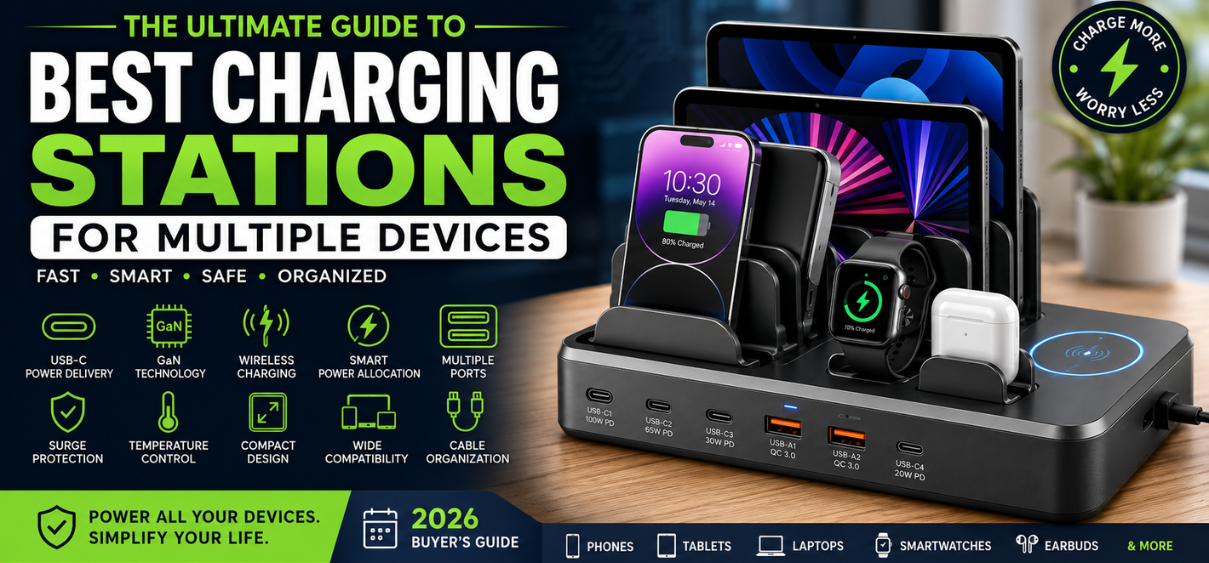
Best Charging Stations for Multiple Devices
Modern households have never owned more electronic devices than they do today. Smartphones, tablets, smartwatches, wireless earbuds, gaming handhelds, laptops, portable speakers, e-readers, cameras, and numerous accessories all require regular charging. Instead of filling every wall outlet with separate chargers, charging stations for multiple devices provide a centralized, organized, and highly efficient solution.
The latest charging stations in 2026 incorporate GaN (Gallium Nitride) technology, USB-C Power Delivery, Quick Charge compatibility, wireless charging, intelligent power allocation, surge protection, temperature monitoring, and compact designs that significantly reduce cable clutter while improving charging performance.
In this comprehensive guide, we explore everything buyers need to know before choosing the best charging station for home, office, travel, classrooms, and family use.
Why Choose a Multi-Device Charging Station?
A charging station offers much more than additional USB ports.
The biggest advantage is convenience. Instead of searching for different chargers throughout the house, every device remains in one dedicated location.
Other major benefits include:
- Reduced cable clutter
- Centralized charging
- Faster charging speeds
- Better organization
- Improved desk aesthetics
- Enhanced electrical safety
- Smart power distribution
- Lower energy waste
- Space-saving design
- Support for modern USB-C devices
Key Features to Look For
1. USB-C Power Delivery (PD)
USB-C PD has become the universal charging standard.
Benefits include:
- Fast smartphone charging
- Laptop compatibility
- Tablet charging
- Nintendo Switch support
- Universal cable compatibility
Higher-end models now deliver:
| USB-C PD Output | Best For |
|---|---|
| 20W | Smartphones |
| 30W | Tablets |
| 45W | Chromebooks |
| 65W | Most laptops |
| 100W | Professional laptops |
| 140W | High-performance notebooks |
2. GaN Technology
Gallium Nitride (GaN) chargers have transformed charging stations.
Advantages include:
- Smaller size
- Less heat generation
- Better efficiency
- Faster charging
- Higher power density
- Longer lifespan
3. Number of Charging Ports
Different households require different capacities.
Common options include:
| Number of Ports | Ideal Users |
| 4 Ports | Individuals |
| 6 Ports | Couples |
| 8 Ports | Small families |
| 10 Ports | Large families |
| 12+ Ports | Offices and classrooms |
4. Wireless Charging
Premium charging stations often include:
- Qi Wireless Charging
- Qi2 Compatibility
- Magnetic charging
- Apple MagSafe support
- Android wireless fast charging
Wireless charging eliminates unnecessary cables while keeping desks neat.
5. Smart Power Distribution
Advanced charging stations automatically detect each connected device and deliver the appropriate charging current.
Benefits include:
- Faster charging
- Device protection
- Battery health preservation
- Efficient power management
Best Types of Charging Stations
Desktop Charging Stations
Perfect for:
- Home offices
- Gaming desks
- Study tables
Advantages:
- Easy access
- Excellent cable management
- Professional appearance
Family Charging Stations
Designed for households with multiple users.
Features include:
- Device dividers
- Large USB capacity
- Cable organization
- Labeling options
Nightstand Charging Stations
Ideal for:
- Smartphones
- Smartwatches
- Earbuds
Benefits:
- Compact footprint
- Quiet operation
- Overnight charging
Office Charging Stations
Businesses benefit from:
- Multiple charging ports
- High wattage
- Surge protection
- Heavy-duty construction
Travel Charging Stations
Frequent travelers appreciate:
- Foldable plugs
- Lightweight construction
- Universal voltage
- Compact size
Charging Speed Comparison
| Charging Technology | Typical Speed |
| Standard USB | Slow |
| USB Fast Charging | Moderate |
| Quick Charge 3.0 | Fast |
| USB-C PD 30W | Very Fast |
| USB-C PD 65W | Laptop Fast Charging |
| USB-C PD 100W | Professional Charging |
Benefits of Organized Charging
A charging station transforms messy cables into a clean workspace.
Major benefits include:
- Better productivity
- Faster access
- Cleaner desks
- Less cable damage
- Reduced outlet usage
- Improved safety
Safety Features Worth Having
Never compromise on electrical safety.
Look for:
- Over-voltage protection
- Short-circuit protection
- Over-current protection
- Temperature control
- Fire-resistant housing
- Surge protection
- Automatic shutoff
- Foreign object detection
- Intelligent chipsets
Compatibility
Modern charging stations support:
- iPhone
- Android phones
- iPads
- Android tablets
- Smartwatches
- Wireless earbuds
- Bluetooth speakers
- Portable gaming consoles
- Cameras
- Power banks
- E-readers
- USB accessories
USB-A vs USB-C
| Feature | USB-A | USB-C |
| Charging Speed | Moderate | Excellent |
| Data Speed | Moderate | Very High |
| Reversible Connector | No | Yes |
| Future Compatibility | Limited | Excellent |
| Laptop Charging | Rare | Yes |
Who Should Buy One?
Charging stations are ideal for:
- Families
- Students
- Remote workers
- Professionals
- Gamers
- Travelers
- Teachers
- Office employees
- Small businesses
- Content creators
Common Buying Mistakes
Avoid:
- Buying too few ports
- Ignoring total wattage
- Choosing unknown brands
- Using poor-quality cables
- Overloading outlets
- Ignoring safety certifications
Maintenance Tips
Keep your charging station performing efficiently:
- Clean dust regularly.
- Avoid excessive moisture.
- Use certified charging cables.
- Keep ventilation unobstructed.
- Disconnect unused accessories.
- Inspect cables for wear.
Advantages of Multi-Device Charging Stations
- Cleaner workspace
- Reduced cable clutter
- Fast charging
- Universal compatibility
- Portable options available
- Improved organization
- Higher charging efficiency
- Space-saving design
- Enhanced electrical safety
- Future-ready USB-C support
Conclusion
A multi-device charging station has become an essential accessory for modern homes and workplaces. With the increasing number of USB-powered devices, investing in a station that combines USB-C Power Delivery, GaN technology, wireless charging, intelligent power management, and comprehensive safety features ensures reliable, fast, and organized charging every day. Choosing the right model based on the number of devices, required wattage, charging standards, and build quality will simplify daily routines while reducing clutter and extending the life of your electronics.
(25 FAQs)
1. What is a charging station for multiple devices?
A charging station is a centralized hub that charges several devices simultaneously using multiple USB or wireless charging outputs.
2. How many devices can one charging station charge?
Depending on the model, between 4 and 20 devices.
3. Are charging stations safe?
Yes, quality models include multiple safety protections.
4. Is USB-C better than USB-A?
Yes, USB-C provides faster charging and greater compatibility.
5. What is GaN technology?
Gallium Nitride technology enables smaller, cooler, and more efficient chargers.
6. Does fast charging damage batteries?
No. Certified devices manage charging safely.
7. Can charging stations charge laptops?
Yes, if they support sufficient USB-C Power Delivery wattage.
8. What is USB Power Delivery?
A fast-charging standard that dynamically supplies higher power over USB-C.
9. Do charging stations consume electricity when idle?
Minimal standby power is typically consumed.
10. Can I charge Apple and Android devices together?
Yes.
11. What is Qi wireless charging?
A universal standard for wireless charging.
12. Is Qi2 better than Qi?
Yes, Qi2 offers improved magnetic alignment and efficiency.
13. Can I leave devices charging overnight?
Yes, if using certified equipment with safety features.
14. What cable should I use?
High-quality, certified USB-C or manufacturer-approved cables.
15. How many watts do I need?
Choose based on the combined power needs of all devices.
16. Are charging stations travel-friendly?
Many compact models are designed for travel.
17. Can one station replace multiple chargers?
Yes, in most cases.
18. Do they support tablets?
Yes.
19. Can they charge smartwatches?
Yes, if compatible or equipped with dedicated charging pads.
20. Are wireless charging stations slower?
Generally, they are slower than wired fast charging.
21. Can they charge gaming devices?
Yes, many support handheld gaming consoles.
22. Do they include surge protection?
Many premium models do.
23. Are charging stations energy efficient?
Modern GaN-based models are highly efficient.
24. How long do charging stations last?
Quality units can last for many years with proper care.
25. Which charging station is best in 2026?
The best option depends on the number of devices, required charging speed, total power output, portability, safety features, and budget.