
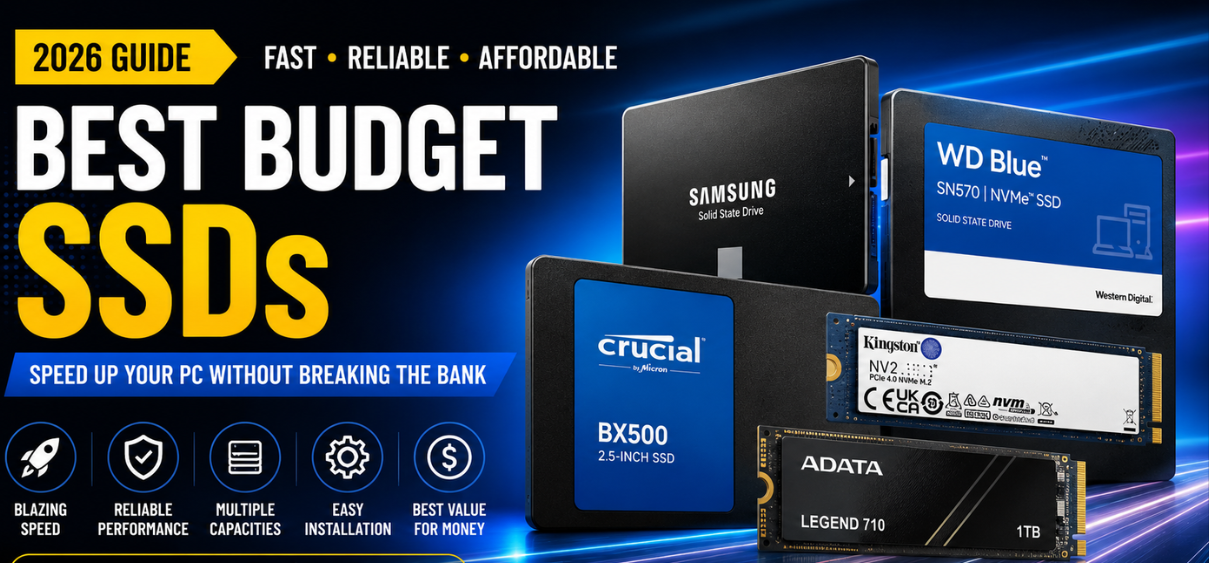
Best Budget SSDs (2026)
Storage technology has evolved dramatically over the past decade. Traditional hard drives are rapidly disappearing from modern PCs, laptops, gaming systems, and workstations as Solid State Drives (SSDs) become the preferred storage solution. Fortunately, consumers no longer need to spend hundreds of dollars to enjoy exceptional storage speeds. Today's budget SSDs deliver outstanding performance, excellent reliability, and impressive endurance while remaining affordable for nearly every user.
Whether we are upgrading an aging laptop, building a gaming PC, editing videos, running business software, or simply looking for faster boot times, choosing the right SSD can significantly improve the overall computing experience.
This comprehensive guide explores everything buyers should know before purchasing the best budget SSDs in 2026, including performance, interface types, storage capacities, endurance ratings, installation, maintenance, and expert recommendations.
Why Upgrade to an SSD?
An SSD transforms the speed and responsiveness of any computer.
Compared to conventional hard disk drives (HDDs), SSDs offer:
- Extremely fast boot times
- Rapid application loading
- Improved gaming performance
- Silent operation
- Lower power consumption
- Better shock resistance
- No moving mechanical parts
- Reduced system heat
- Greater overall reliability
Even an inexpensive SSD can make an older computer feel dramatically faster.
What Makes a Budget SSD Worth Buying?
Price alone should never determine which SSD we purchase.
The best affordable SSDs combine:
- Excellent read/write speeds
- Reliable NAND flash memory
- High endurance ratings
- Long warranty coverage
- Stable firmware
- Good thermal management
- Strong customer reviews
- Consistent real-world performance
SSD Types Explained
SATA SSD
SATA SSDs remain an excellent choice for upgrading older desktops and laptops.
Advantages include:
- Lower price
- Wide compatibility
- Easy installation
- Reliable performance
Typical speeds:
- Read: 550 MB/s
- Write: 520 MB/s
NVMe SSD
NVMe drives connect directly through PCIe lanes, delivering dramatically faster speeds.
Advantages:
- Faster file transfers
- Reduced loading times
- Better multitasking
- Excellent gaming performance
- Ideal for creative professionals
Typical speeds:
- Read: 3,000 to 14,000 MB/s
- Write: 2,500 to 12,000 MB/s
Best Budget SSD Brands
Several manufacturers consistently produce reliable and affordable SSDs.
Crucial
Known for excellent value, stable firmware, and dependable reliability.
Ideal for:
- Everyday computing
- Students
- Office work
- Gaming
Kingston
Kingston offers affordable SSDs with excellent compatibility.
Strengths include:
- Competitive pricing
- Long lifespan
- Easy installation
Western Digital (WD)
WD Blue and WD Green series remain popular among budget buyers.
Benefits include:
- Excellent endurance
- Reliable controllers
- Strong customer support
Samsung
Although often slightly more expensive, Samsung SSDs provide premium reliability.
Advantages:
- Outstanding firmware
- Industry-leading software
- High endurance
ADATA
ADATA offers impressive performance at affordable prices.
Ideal for:
- Budget gaming
- Home PCs
- Productivity
Lexar
Lexar continues expanding its SSD lineup with competitive pricing and solid performance.
TeamGroup
A favorite among budget PC builders for balancing affordability and speed.
Silicon Power
Silicon Power provides excellent value for entry-level users seeking dependable SSD performance.
How Much Storage Do You Need?
250GB SSD
Suitable for:
- Office work
- Basic web browsing
- Operating system
- Light software
500GB SSD
Perfect for:
- Students
- Casual gamers
- Everyday users
1TB SSD
Recommended for most buyers.
Suitable for:
- Gaming
- Photo editing
- Video editing
- Programming
- Multiple applications
2TB SSD
Ideal for:
- Content creators
- Professionals
- Large game libraries
- 4K video projects
SATA vs NVMe Comparison
| Feature | SATA SSD | NVMe SSD |
|---|---|---|
| Interface | SATA | PCIe |
| Maximum Speed | 550 MB/s | Up to 14,000 MB/s |
| Gaming Performance | Good | Excellent |
| Boot Speed | Fast | Extremely Fast |
| File Transfers | Good | Outstanding |
| Price | Lower | Slightly Higher |
| Heat | Lower | Higher |
| Best For | Budget Upgrades | Modern PCs |
Best Budget SSD Features to Look For
High Sequential Read Speed
Faster loading of applications and games.
High Sequential Write Speed
Essential for transferring large files quickly.
Good Random Performance
Improves everyday responsiveness.
DRAM Cache
Helps maintain consistent performance during heavy workloads.
TLC NAND Flash
Offers the best balance between price and durability.
Long Warranty
Look for at least a 3 to 5-year warranty.
SSD Buying Guide
Before purchasing, verify:
- Interface compatibility
- Storage capacity
- Form factor
- Warranty
- TBW rating
- Controller quality
- NAND type
- Manufacturer reputation
Best Budget SSDs for Gaming
Gamers benefit from SSDs by reducing:
- Game loading screens
- Texture streaming delays
- Update installation times
- Open-world loading pauses
An SSD also improves overall system responsiveness while launching modern AAA titles.
Best Budget SSDs for Students
Students need reliable storage for:
- Online learning
- Documents
- Research
- Video conferencing
- Assignments
- Presentations
A 500GB SSD is generally sufficient.
Best Budget SSDs for Content Creators
Creative professionals should prioritize:
- Fast write speeds
- Large capacity
- High endurance
- Stable sustained performance
These features are especially valuable when editing high-resolution photos and videos.
How to Install an SSD
Installation generally involves:
- Power off the computer.
- Open the case or laptop panel.
- Connect the SSD (SATA or M.2).
- Secure the drive.
- Initialize it in the operating system if needed.
- Install the OS or clone the existing drive.
- Verify BIOS detection.
How to Extend SSD Lifespan
Best practices include:
- Keep firmware updated.
- Enable TRIM.
- Maintain free storage space.
- Avoid unnecessary write-intensive tasks.
- Monitor drive health periodically.
- Keep the operating system updated.
Advantages of Budget SSDs
- Excellent price-to-performance ratio
- Fast system startup
- Lower power usage
- Silent operation
- Reliable storage
- Compact design
- Easy installation
- Wide compatibility
Potential Limitations
- Lower sustained write speeds on some entry-level models
- Reduced performance when nearly full
- Budget models may omit DRAM cache
- Premium PCIe Gen5 speeds generally cost more
Quick Comparison Table
| SSD Type | Best For | Speed | Price |
| SATA SSD | Everyday users | Moderate | Low |
| PCIe Gen3 NVMe | Budget gaming | High | Affordable |
| PCIe Gen4 NVMe | Gaming & creators | Very High | Mid-range |
| PCIe Gen5 NVMe | Enthusiasts | Extreme | Premium |
Final Verdict
The best budget SSDs in 2026 prove that exceptional performance no longer requires a premium budget. Whether upgrading an older laptop with a SATA SSD or building a modern gaming PC with an NVMe drive, today's affordable SSDs provide faster boot times, responsive multitasking, improved gaming performance, and dependable long-term reliability.
Choosing a drive with the right capacity, interface, endurance rating, and warranty ensures excellent value while delivering a noticeably smoother computing experience for years to come.
(FAQs)
1. What is a budget SSD?
An affordable solid-state drive that provides excellent performance at a lower price.
2. Is an SSD faster than an HDD?
Yes, SSDs are significantly faster.
3. Which is better, SATA or NVMe?
NVMe offers much higher speeds, while SATA provides excellent value and compatibility.
4. Is 500GB enough?
Yes, for everyday users and students.
5. Is 1TB better?
Yes, especially for gaming and larger applications.
6. How long do SSDs last?
Typically many years under normal usage.
7. What is TBW?
Terabytes Written, indicating the drive's endurance rating.
8. Do SSDs make games load faster?
Yes.
9. Can I install Windows on an SSD?
Yes.
10. Are SSDs silent?
Yes.
11. Do SSDs use less power?
Yes.
12. Can laptops use SSDs?
Most modern laptops support SSD upgrades.
13. Is DRAM important?
It helps maintain consistent performance during demanding workloads.
14. What is TLC NAND?
A common flash memory type balancing performance, endurance, and cost.
15. What is QLC NAND?
A denser flash memory that often costs less but may have lower endurance.
16. Can I clone my old drive?
Yes, many cloning tools support easy migration.
17. Should I leave free space on my SSD?
Yes, keeping some free capacity can help maintain performance.
18. Does TRIM improve SSD performance?
Yes.
19. Can SSDs fail?
Like any storage device, they can fail, so backups remain important.
20. Is PCIe Gen4 worth it?
Yes, for users with compatible hardware seeking faster performance.
21. Can I use an SSD for video editing?
Absolutely.
22. Do SSDs improve battery life?
They generally consume less power than HDDs.
23. How much storage do gamers need?
1TB is a practical starting point for many gamers.
24. Are budget SSDs reliable?
Many reputable brands offer dependable budget models.
25. Which SSD capacity offers the best value?
For most users in 2026, 1TB provides the best balance of price, performance, and storage.