
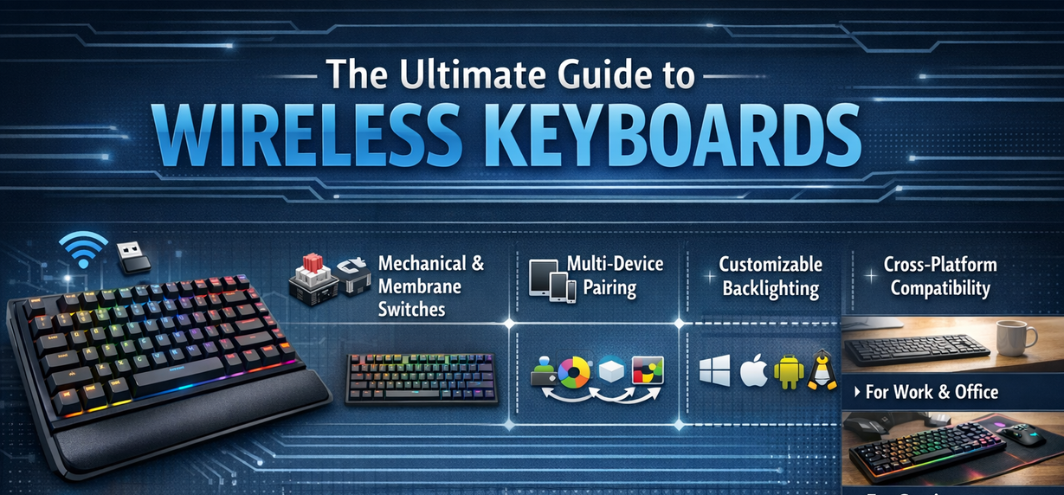
Introduction to Wireless Keyboard Excellence
Wireless keyboards have become an essential component of modern workspaces, home offices, and creative setups. With the shift toward minimalist desks, multi-device ecosystems, and flexible working environments, the demand for high-performance wireless keyboards has grown rapidly. Today’s best wireless keyboards deliver precision typing, reliable connectivity, exceptional battery life, and ergonomic comfort without the clutter of cables.
We present this definitive, in-depth guide to the best wireless keyboards, crafted to cover every critical aspect including switch technology, connectivity standards, layout design, build quality, and long-term usability. This resource is designed to support informed decisions for professionals, gamers, students, and everyday users seeking superior typing experiences.
What Defines the Best Wireless Keyboard
A premium wireless keyboard is characterized by a seamless balance of responsiveness, durability, and user-centric design. The defining elements include:
-
Stable wireless connectivity
-
Accurate and comfortable keystrokes
-
Long battery endurance
-
Ergonomic layout
-
Multi-device compatibility
Wireless Connectivity Technologies
Bluetooth Wireless Keyboards
Bluetooth keyboards offer universal compatibility, supporting laptops, tablets, smartphones, and smart TVs.
Key advantages include:
-
Cable-free convenience
-
Multi-device pairing
-
Low power consumption
-
Broad operating system support
2.4GHz Wireless Keyboards
These keyboards use a dedicated USB receiver to ensure low-latency performance and stable connections, making them ideal for desktop users.
Dual-Mode and Multi-Mode Keyboards
Advanced wireless keyboards support Bluetooth + 2.4GHz connectivity, allowing seamless switching between devices with a single keystroke.
Keyboard Types and Use Cases
Wireless Mechanical Keyboards
Wireless mechanical keyboards deliver tactile feedback, exceptional durability, and high typing accuracy.
Key features include:
-
Mechanical switches rated for millions of keystrokes
-
Customizable keycaps
-
Superior responsiveness
Wireless Membrane Keyboards
Membrane keyboards offer quiet operation, slim profiles, and affordable pricing, making them suitable for offices and home use.
Wireless Chiclet and Scissor-Switch Keyboards
These keyboards feature low-profile keys with short travel distances, ideal for fast typing and compact setups.
Key Switch Technology Explained
Mechanical Switch Variants
Mechanical switches are categorized by feel and sound:
-
Linear switches: Smooth, quiet keystrokes
-
Tactile switches: Noticeable bump for feedback
-
Clicky switches: Audible click with tactile response
Scissor-Switch Mechanisms
Scissor switches provide:
-
Low travel distance
-
Quiet typing
-
Improved stability
Ergonomics and Typing Comfort
Key Layout and Spacing
Well-designed layouts reduce finger strain and improve typing accuracy. Full-size, tenkeyless, and compact layouts cater to different needs.
Wrist Support and Tilt Adjustment
Premium wireless keyboards include:
-
Adjustable tilt legs
-
Integrated or detachable wrist rests
-
Curved key arrangements
Battery Life and Power Management
Battery Types
Wireless keyboards use:
-
Rechargeable lithium-ion batteries
-
Replaceable or batteries
Battery Performance Expectations
Top-tier wireless keyboards deliver:
-
30–90 days on a single charge
-
Months of use with battery-saving modes
USB Type-C charging is now standard in premium models.
Build Quality and Materials
Frame Construction
High-quality wireless keyboards use:
-
Aluminum top plates
-
Reinforced plastic frames
-
Spill-resistant designs
Keycap Materials
Durable keycaps enhance longevity:
-
ABS plastic for affordability
-
PBT plastic for superior wear resistance
Multi-Device and Cross-Platform Compatibility
Operating System Support
The best wireless keyboards support:
-
Windows
-
macOS
-
Linux
-
Android
-
iOS
Dedicated keys allow instant switching between platforms.
Productivity Features and Smart Functions
Programmable Keys and Shortcuts
Advanced models include customizable keys for:
-
Application launching
-
Media control
-
Workflow automation
Backlighting and Illumination
Wireless keyboards feature:
-
White LED backlighting
-
RGB lighting modes
-
Adaptive brightness controls
Wireless Keyboards for Different Users
For Office Professionals
-
Quiet keystrokes
-
Full-size layouts
-
Long battery life
For Gamers
-
Low-latency wireless performance
-
Mechanical switches
-
RGB lighting
For Students and Home Users
-
Compact designs
-
Affordable pricing
-
Easy portability
Comparison Table: Wireless Keyboard Features
| Feature | Basic Models | Premium Models |
|---|---|---|
| Connectivity | Bluetooth | Bluetooth + 2.4GHz |
| Battery Life | Weeks | Months |
| Build Material | Plastic | Aluminum / PBT |
| Switch Type | Membrane | Mechanical |
| Backlighting | None | RGB / White LED |
Noise Levels and Typing Acoustics
Wireless keyboards are engineered for different environments:
-
Silent membrane keyboards for offices
-
Tactile mechanical keyboards for enthusiasts
Sound dampening and stabilizers improve acoustic comfort.
Security and Encryption
Advanced wireless keyboards feature:
-
Encrypted Bluetooth connections
-
Secure pairing protocols
-
Interference resistance
Maintenance and Longevity
Easy Cleaning and Care
Removable keycaps and dust-resistant designs simplify maintenance.
Expected Lifespan
High-quality wireless keyboards can last 5–10 years with proper care.
How to Maximize Wireless Keyboard Performance
-
Keep firmware updated
-
Charge batteries before full depletion
-
Clean keycaps regularly
-
Use appropriate connectivity mode
Future Trends in Wireless Keyboards
The future of wireless keyboards includes:
-
Ultra-low latency wireless tech
-
AI-assisted typing corrections
-
Modular layouts
-
Enhanced ergonomic designs
Conclusion: Choosing the Best Wireless Keyboard
The best wireless keyboards combine precision, comfort, and reliability into a seamless typing experience. By focusing on connectivity, switch quality, ergonomics, and battery performance, users can select a keyboard that enhances productivity and comfort for years. Wireless keyboards are no longer compromises—they are refined tools built for modern digital lifestyles.
FAQs
-
Are wireless keyboards reliable?
-
Yes, modern wireless connections are highly stable.
-
-
Is Bluetooth or 2.4GHz better?
-
Bluetooth for versatility, 2.4GHz for low latency.
-
-
Do wireless keyboards lag?
-
Premium models have negligible latency.
-
-
Are wireless keyboards good for gaming?
-
Yes, especially dual-mode models.
-
-
How long do wireless keyboard batteries last?
-
From weeks to months.
-
-
Can wireless keyboards connect to multiple devices?
-
Yes, multi-device models support this.
-
-
Are mechanical wireless keyboards durable?
-
Extremely durable.
-
-
Do wireless keyboards support macOS?
-
Most premium models do.
-
-
Is backlighting available in wireless keyboards?
-
Yes, including RGB options.
-
-
Are wireless keyboards portable?
-
Yes, especially compact layouts.
-
-
Do they require drivers?
-
Usually plug-and-play.
-
-
Can wireless keyboards work with tablets?
-
Yes, via Bluetooth.
-
-
Are they secure?
-
Encrypted connections ensure security.
-
-
Is USB-C charging common?
-
Yes, in modern models.
-
-
Do wireless keyboards support shortcuts?
-
Yes, with programmable keys.
-
-
Are low-profile keyboards better for typing?
-
For speed, yes.
-
-
Can keycaps be replaced?
-
On mechanical models, yes.
-
-
Are wireless keyboards spill-resistant?
-
Many models offer spill protection.
-
-
Do they work with smart TVs?
-
Yes, Bluetooth-compatible TVs.
-
-
Is battery replacement possible?
-
Depends on the model.
-
-
Are wireless keyboards ergonomic?
-
Many are designed for comfort.
-
-
Do they support fast charging?
-
Some premium models do.
-
-
Are compact keyboards good for productivity?
-
Yes, with proper layout.
-
-
Do wireless keyboards interfere with Wi-Fi?
-
Rarely with modern standards.
-
-
Are wireless keyboards worth buying?
-
Absolutely for flexibility and convenience.
-
For more information and to start using Roobai.com, visit our official website and download the app to stay updated on the best deals and offers. With Roobai.com, you can ensure that every shopping experience is not just an opportunity to shop but an opportunity to save big