
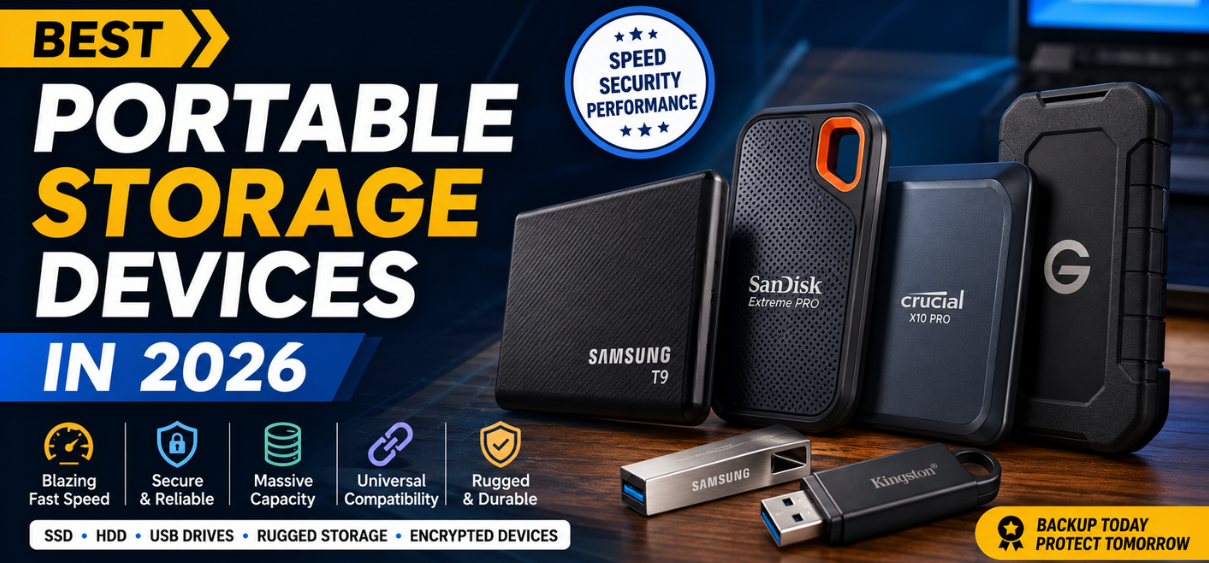
Best Portable Storage Devices in 2026
Modern digital lifestyles demand storage solutions that are fast, reliable, compact, and capable of protecting valuable data. Whether we are storing business files, high-resolution photos, 4K videos, gaming libraries, creative projects, or personal backups, choosing the right portable storage device is essential.
The portable storage market has evolved significantly in recent years. Today's devices offer lightning-fast transfer speeds, massive storage capacities, military-grade durability, and advanced encryption technologies. From professional content creators to students and remote workers, portable storage devices have become indispensable tools for productivity and data security.
This comprehensive guide explores the best portable storage devices in 2026, their key features, advantages, disadvantages, and buying considerations to help users make the right investment.
Table of Contents
- Portable Storage Devices Overview
- Types of Portable Storage Devices
- Benefits of Portable Storage Solutions
- Best Portable SSDs
- Best Portable Hard Drives
- Best USB Flash Drives
- Best Storage Devices for Photographers
- Best Portable Storage for Video Editors
- Best Gaming Storage Devices
- Rugged Storage Devices for Travel
- Secure Encrypted Storage Solutions
- Cloud vs Portable Storage
- How to Choose the Right Portable Storage Device
- Buying Guide
- Comparison Table
- Frequently Asked Questions
What Are Portable Storage Devices?
Portable storage devices are compact hardware solutions designed to store, transfer, and back up digital data while remaining easy to carry and use across multiple devices.
These storage devices allow users to:
- Store important documents
- Transfer files between devices
- Create secure backups
- Expand storage capacity
- Access data while traveling
- Archive large media collections
Portable storage devices connect through:
- USB-A
- USB-C
- Thunderbolt
- Lightning
- Wi-Fi
- Wireless technologies
Types of Portable Storage Devices
1. Portable SSDs
Portable Solid State Drives use flash memory instead of spinning disks.
Benefits:
- Extremely fast performance
- Lightweight design
- Shock resistance
- Silent operation
- Low power consumption
Ideal For:
- Video editing
- Gaming
- Professional workloads
- Creative professionals
2. Portable Hard Disk Drives (HDDs)
Portable HDDs use traditional spinning platters.
Benefits:
- Lower cost per GB
- Massive storage capacities
- Excellent for backups
Ideal For:
- Archive storage
- Home backups
- Media collections
3. USB Flash Drives
USB drives provide ultra-portable storage.
Benefits:
- Pocket-sized
- Affordable
- Plug-and-play convenience
Ideal For:
- Document transfer
- Presentations
- Everyday storage
4. Wireless Storage Devices
Wireless storage solutions allow data access without physical cables.
Benefits:
- Remote access
- Multi-device compatibility
- Mobile-friendly functionality
Ideal For:
- Travelers
- Content creators
- Mobile professionals
Why Portable Storage Devices Are Essential
Modern users generate enormous amounts of digital content.
Benefits include:
| Benefit | Description |
|---|---|
| Data Backup | Protect valuable files |
| Portability | Carry data anywhere |
| Speed | Fast file transfers |
| Security | Encryption and password protection |
| Flexibility | Cross-platform compatibility |
| Cost Savings | Expand storage affordably |
Best Portable SSDs in 2026
Samsung T9 Portable SSD
The Samsung T9 is one of the fastest portable SSDs available today.
Key Features
- USB 3.2 Gen 2x2
- Up to 4TB capacity
- Exceptional thermal management
- Durable construction
Pros
- Blazing-fast speeds
- Reliable performance
- Premium build quality
Cons
- Premium pricing
SanDisk Extreme PRO Portable SSD
Designed for professionals who need speed and durability.
Key Features
- NVMe architecture
- Rugged design
- Water and dust resistance
Best For
- Outdoor photography
- Professional video production
- Travel workloads
Crucial X10 Pro
A high-performance portable SSD offering excellent value.
Highlights
- Excellent speed
- Compact design
- Competitive pricing
Perfect for creators and business professionals.
Kingston XS2000
One of the smallest high-capacity SSDs available.
Advantages
- Pocket-friendly size
- Strong durability
- Fast transfers
Best Portable Hard Drives
WD My Passport
The WD My Passport remains one of the most trusted portable HDDs.
Features
- Up to 6TB storage
- Automatic backup software
- Hardware encryption
Best For
- Home users
- Students
- Office backups
Seagate Backup Plus Portable
A reliable storage companion for everyday users.
Benefits
- Large capacities
- Affordable pricing
- Easy setup
Toshiba Canvio Flex
Ideal for multi-platform users.
Features
- Windows compatibility
- Mac compatibility
- USB-C support
Best USB Flash Drives in 2026
SanDisk Extreme Pro USB Drive
Offers SSD-like speeds in a flash drive format.
Advantages
- Extremely fast
- Durable metal design
- Large capacities
Kingston DataTraveler Max
One of the fastest USB flash drives available.
Benefits
- USB-C connectivity
- Excellent read/write performance
- Portable design
Samsung BAR Plus
A durable flash drive with premium aesthetics.
Features
- Water-resistant
- Shock resistant
- Metal body
Best Portable Storage Devices for Photographers
Photographers require reliable storage for RAW files and large image libraries.
Recommended options:
| Device | Capacity | Ideal Use |
| Samsung T9 | 4TB | Professional Photography |
| SanDisk Extreme PRO | 4TB | Outdoor Shoots |
| Crucial X10 Pro | 4TB | Studio Work |
| WD My Passport | 6TB | Backup Storage |
Best Portable Storage Devices for Video Editors
Video editors work with massive files requiring high-speed storage.
Essential Features
- NVMe SSD technology
- High sustained speeds
- USB-C connectivity
- Rugged construction
Top recommendations:
- Samsung T9
- SanDisk Extreme PRO
- Crucial X10 Pro
- Kingston XS2000
Best Portable Storage for Gaming
Modern games exceed 100GB in size.
Portable storage helps:
- Expand console storage
- Store game libraries
- Transfer games quickly
Recommended Devices
| Device | Gaming Performance |
| Samsung T9 | Excellent |
| SanDisk Extreme PRO | Excellent |
| Crucial X10 Pro | Very Good |
| WD My Passport | Good |
Rugged Portable Storage Devices for Travelers
Travelers need storage devices capable of surviving harsh environments.
Key features:
- Shock resistance
- Water resistance
- Dust resistance
- Drop protection
Top Rugged Options
- SanDisk Extreme PRO
- LaCie Rugged SSD
- Samsung T9
- Kingston XS2000
Best Encrypted Portable Storage Devices
Data security has become more important than ever.
Important Security Features
- AES 256-bit encryption
- Password protection
- Secure access software
- Biometric authentication
Recommended Secure Storage
- WD My Passport
- Samsung T9
- Kingston IronKey Series
- Apricorn Aegis Series
Cloud Storage vs Portable Storage Devices
| Feature | Portable Storage | Cloud Storage |
| Ownership | Full Control | Third Party |
| Internet Required | No | Yes |
| Speed | Faster | Depends on Internet |
| Security |
User-Controlled
|
Provider Controlled |
| Accessibility | Physical Device Needed | Anywhere Online |
| Cost | One-Time Purchase | Subscription Based |
Best Approach
Combining both solutions offers maximum protection and flexibility.
How to Choose the Best Portable Storage Device
1. Determine Capacity Requirements
500GB
Ideal for:
- Documents
- Office files
- Students
1TB
Ideal for:
- General users
- Photo collections
- Small media libraries
2TB
Ideal for:
- Professionals
- Gamers
- Creators
4TB and Above
Ideal for:
- Video production
- Enterprise backups
- Large archives
2. Consider Transfer Speed
Storage performance matters significantly.
Typical Speeds
| Storage Type | Speed |
| HDD | 100–160 MB/s |
| SATA SSD | 500–600 MB/s |
| NVMe SSD | 1000–4000 MB/s |
3. Check Connectivity
Modern devices support:
- USB-C
- USB 3.2
- Thunderbolt 4
- USB4
USB-C is generally recommended for future compatibility.
4. Evaluate Durability
Look for:
- Shock resistance
- Drop protection
- Water resistance
- Dust resistance
Especially important for travelers and field professionals.
Portable Storage Buying Guide
Before purchasing, evaluate:
Performance
- Read speed
- Write speed
- Sustained performance
Capacity
- Current storage needs
- Future growth
Security
- Encryption support
- Password protection
Compatibility
- Windows
- macOS
- Android
- iPhone
- Gaming consoles
Warranty
Longer warranties generally indicate greater manufacturer confidence.
Top Portable Storage Devices Comparison Table
| Device | Type | Capacity | Speed | Best For |
| Samsung T9 | SSD | Up to 4TB | Excellent | Professionals |
| SanDisk Extreme PRO | SSD | Up to 4TB | Excellent | Creators |
| Crucial X10 Pro | SSD | Up to 4TB | Very Fast | Value Buyers |
| Kingston XS2000 | SSD | Up to 4TB | Fast | Portability |
| WD My Passport | HDD | Up to 6TB | Moderate | Backup |
| Seagate Backup Plus | HDD | Up to 5TB | Moderate | Everyday Use |
| Toshiba Canvio Flex | HDD | Up to 4TB | Moderate | Multi-Platform |
| SanDisk Extreme Pro USB | Flash Drive | Up to 1TB | Fast | Transfers |
| Kingston DataTraveler Max | Flash Drive | Up to 1TB | Fast | Portable Work |
| Samsung BAR Plus | Flash Drive | Up to 512GB | Good | Daily Use |
Conclusion
Portable storage devices continue to evolve with faster speeds, larger capacities, improved durability, and enhanced security. Whether we need a compact USB flash drive for everyday file transfers, a rugged SSD for creative workflows, or a high-capacity hard drive for backups, the market offers solutions tailored to every requirement.
For maximum performance, portable SSDs remain the preferred choice. For affordable mass storage, portable HDDs continue to deliver exceptional value. Selecting the right balance between speed, capacity, durability, and security ensures long-term satisfaction and reliable data protection.
FAQs
1. What is the best portable storage device in 2026?
The Samsung T9 and SanDisk Extreme PRO are among the best options available.
2. Is SSD better than HDD?
Yes, SSDs offer significantly faster performance and greater durability.
3. How much storage do I need?
Most users benefit from 1TB to 2TB capacities.
4. Are portable SSDs worth buying?
Yes, especially for professionals, gamers, and content creators.
5. What is the fastest portable SSD?
High-end NVMe-based portable SSDs deliver the fastest performance.
6. Can portable drives be used for gaming?
Yes, many modern SSDs are ideal for gaming storage.
7. Which storage device is best for photographers?
The Samsung T9 and SanDisk Extreme PRO are excellent choices.
8. Are portable hard drives reliable?
Yes, when handled properly and backed up regularly.
9. How long do portable SSDs last?
Most quality SSDs can last many years under normal use.
10. Is encryption necessary?
Yes, especially for sensitive personal or business data.
11. What is USB-C storage?
Storage devices that use USB-C connectors for faster transfers.
12. Can I use external storage with a smartphone?
Many Android and modern smartphones support external storage.
13. Which storage is best for 4K video editing?
High-speed NVMe portable SSDs.
14. Do SSDs consume less power?
Yes, compared to traditional hard drives.
15. What capacity is best for gaming?
2TB or higher is recommended.
16. Are rugged SSDs waterproof?
Many offer water and dust resistance ratings.
17. Can portable drives fail?
Yes, which is why backups are essential.
18. Are flash drives still useful?
Absolutely, especially for quick transfers.
19. What is Thunderbolt storage?
High-performance storage using Thunderbolt connectivity.
20. How do I secure portable storage?
Use encryption and strong passwords.
21. Is cloud storage enough?
Cloud storage is useful but should complement local backups.
22. Can Macs use external SSDs?
Yes, most modern SSDs support macOS.
23. What is the best budget storage option?
Portable HDDs provide the lowest cost per GB.
24. Which drive is best for travel?
Rugged SSDs with water and shock resistance.
25. What should I prioritize when buying portable storage?
Speed, capacity, durability, security, and compatibility.