
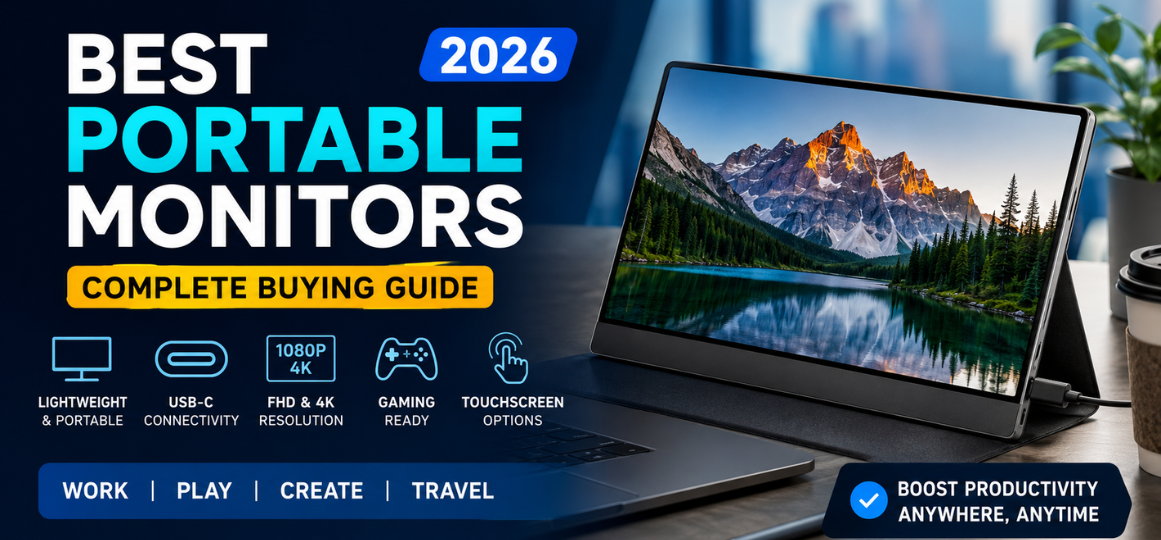
Portable monitors have become an essential productivity tool for professionals, gamers, students, programmers, content creators, business travelers, and remote workers. As hybrid work continues to dominate modern workplaces, having a lightweight second display significantly improves multitasking, efficiency, and comfort.
Whether you need an extra screen for your laptop during business trips, a gaming display for your console, a creative monitor for editing photos, or a portable touchscreen for presentations, today's market offers dozens of outstanding choices.
This comprehensive guide covers everything you need to know before purchasing the best portable monitor in 2026, including specifications, buying factors, comparisons, advantages, disadvantages, and recommendations for every budget.
Table of Contents
- What is a portable monitor?
- Benefits of Portable Monitors
- Types of Portable Monitors
- Best Portable Monitors in 2026
- Best OLED Portable Monitors
- Best Budget Portable Monitors
- Best Gaming Portable Monitors
- Best 4K Portable Monitors
- Best Touchscreen Portable Monitors
- Best USB-C Portable Monitors
- Best Portable Monitors for MacBook
- Best Portable Monitors for Windows Laptops
- Best Portable Monitors for PS5 & Xbox
- Features to Consider
- Buying Guide
- Comparison Table
- Pros and Cons
- Final Verdict
- 25 Frequently Asked Questions
What Is a Portable Monitor?
A portable monitor is a lightweight external display designed to connect easily with laptops, desktops, smartphones, tablets, gaming consoles, and mini PCs. Unlike traditional desktop monitors, portable displays are compact, slim, and easy to carry in a backpack.
Most modern portable monitors feature the following:
- USB-C connectivity
- Mini HDMI ports
- IPS or OLED panels
- Full HD or 4K resolution
- Built-in speakers
- Protective smart covers
- Plug-and-play compatibility
Why Buy a Portable Monitor?
Using a second screen offers major productivity improvements.
Key Benefits
- Improves multitasking
- Boosts work efficiency
- Reduces constant window switching
- Perfect for remote work
- Ideal for travel
- Excellent for presentations
- Supports gaming consoles
- Easy dual-screen setup
- Compact and lightweight
- Minimal cable management
Types of Portable Monitors
1. IPS Portable Monitors
Ideal for:
- Office work
- Programming
- Web browsing
- Video streaming
Advantages:
- Wide viewing angles
- Good color accuracy
- Affordable pricing
2. OLED Portable Monitors
Perfect for:
- Graphic designers
- Photographers
- Video editors
- Entertainment
Benefits include:
- Infinite contrast
- Deeper blacks
- Vibrant colors
- Superior HDR performance
3. Touchscreen Portable Monitors
Great for:
- Designers
- Business presentations
- Digital artists
- Interactive kiosks
4. Gaming Portable Monitors
Designed for:
- PS5
- Xbox Series X
- Nintendo Switch
- Gaming laptops
Common features:
- 120Hz refresh rate
- 144Hz refresh rate
- Low response times
- FreeSync support
Best Portable Monitors in 2026
| Monitor | Display | Resolution | Refresh Rate | Best For |
|---|---|---|---|---|
| ASUS ZenScreen | IPS | Full HD | 60Hz | Productivity |
| Lenovo ThinkVision | IPS | Full HD | 60Hz | Office |
| ViewSonic VG Series | IPS | Full HD | 60Hz | Business |
| Innocn OLED | OLED | Full HD | 60Hz | Creators |
| UPERFECT OLED | OLED | 4K | 60Hz | Professionals |
| Arzopa Portable Monitor | IPS | Full HD | 60Hz | Budget |
| KYY Portable Monitor | IPS | Full HD | 60Hz | Students |
| MSI Portable Gaming Monitor | IPS | QHD | 144Hz | Gaming |
Best OLED Portable Monitors
OLED technology offers unmatched image quality.
Advantages
- Stunning HDR
- Incredible contrast
- Better blacks
- Excellent movie experience
- Professional color accuracy
Recommended for:
- Video editors
- Graphic designers
- Photographers
- Creative professionals
Best Budget Portable Monitors
Affordable options now deliver excellent value.
Look for:
- Full HD resolution
- IPS panel
- USB-C
- HDMI
- Built-in speakers
- Protective case
Budget portable monitors provide excellent performance for:
- Students
- Home office
- Online classes
- General productivity
Best Gaming Portable Monitors
Gamers should prioritize:
- High refresh rates
- Low response times
- Adaptive Sync
- HDR
- Wide color gamut
Gaming portable monitors are ideal companions for:
- Steam Deck
- Nintendo Switch
- Xbox
- PS5
- Gaming laptops
Best Portable Monitors for Remote Work
Remote workers benefit greatly from dual-screen setups.
Ideal tasks include:
- Excel spreadsheets
- Microsoft Teams meetings
- Coding
- Graphic design
- CRM dashboards
- Financial analysis
- Project management
Best Portable Monitors for MacBook
MacBook users should choose monitors offering the following:
- USB-C Power Delivery
- Retina-like color quality
- Wide color gamut
- Aluminum build
- Excellent brightness
Best Portable Monitors for Windows Laptops
Compatibility matters.
Ensure support for:
- Windows 11
- USB-C DisplayPort
- HDMI
- Plug-and-play functionality
- Adjustable stand
Best Portable Monitors for Gaming Consoles
Modern portable displays support:
- PlayStation 5
- Xbox Series X
- Xbox Series S
- Nintendo Switch
- Steam Deck
Essential features include:
- HDMI
- HDR
- Low input lag
- Good speakers
- Fast response time
Important Features to Consider
Screen Size
Popular sizes:
- 13.3-inch
- 14-inch
- 15.6-inch
- 16-inch
- 17.3-inch
Resolution
Available options:
- Full HD
- QHD
- 2.5K
- 4K UHD
Higher resolution provides:
- Better clarity
- Sharper text
- Improved productivity
Panel Technology
Choose between:
- IPS
- OLED
- Mini LED
Brightness
Recommended brightness:
- 250 nits (minimum)
- 300 nits (good)
- 400+ nits (excellent)
Refresh Rate
Options include:
- 60Hz
- 75Hz
- 120Hz
- 144Hz
- 165Hz
Connectivity
Modern monitors should include:
- USB-C
- Mini HDMI
- USB-A
- Audio jack
Weight
Typical portable monitors weigh:
- 500g
- 700g
- 900g
- Under 1kg
Buying Guide
Before purchasing, consider the following:
For Office Work
Choose:
- IPS panel
- Full HD
- USB-C
- Lightweight
For Gaming
Choose:
- 144Hz
- HDR
- Low latency
- Fast response time
For Designers
Choose:
- OLED
- 4K
- Adobe RGB
- DCI-P3 coverage
For Students
Choose:
- Affordable price
- USB-C
- Full HD
- Protective cover
For Travelers
Choose:
- Lightweight
- Slim profile
- Durable construction
- Power-efficient display
Portable Monitor Comparison Table
| Feature | Budget | Mid-Range | Premium |
|---|---|---|---|
| Resolution | Full HD | QHD | 4K |
| Panel | IPS | IPS | OLED |
| Brightness | 250 nits | 300 nits | 500 nits |
| Refresh Rate | 60Hz | 120Hz | 144Hz |
| HDR | No | Basic | Advanced |
| USB-C | Yes | Yes | Yes |
| Touchscreen | Optional | Optional | Yes |
| Color Accuracy | Good | Very Good | Excellent |
Advantages of Portable Monitors
- Highly portable
- Excellent productivity
- Travel friendly
- Easy setup
- No complicated installation
- Supports multiple devices
- Energy-efficient
- Slim and stylish
- Affordable options available
- Ideal for remote work
Disadvantages
- Smaller than desktop monitors
- Limited brightness on budget models
- Some require external power
- Premium OLED models cost more
- Built-in speakers vary in quality
How to Choose the Best Portable Monitor
Consider these priorities:
- Purpose
- Display quality
- Resolution
- Refresh rate
- Color accuracy
- Brightness
- Connectivity
- Weight
- Build quality
- Warranty
Final Verdict
The best portable monitor depends on your primary use case. Professionals benefit from color-accurate IPS or OLED displays with USB-C connectivity, while gamers should prioritize high refresh rates and low input lag. Travelers and students often find lightweight Full HD models to be the best balance between portability and affordability.
When selecting a portable monitor, focus on display quality, connectivity, durability, and compatibility with your existing devices. A well-chosen portable monitor can dramatically improve productivity, entertainment, and workflow, making it one of the most valuable accessories for modern computing.
FAQs
1. What is a portable monitor?
A portable monitor is a lightweight external display designed for laptops, smartphones, gaming consoles, and tablets.
2. Are portable monitors worth buying?
Yes, they improve productivity, multitasking, and portability.
3. Can portable monitors work with MacBooks?
Yes, most modern models support MacBooks through USB-C.
4. Can I use a portable monitor with a Windows laptop?
Yes, Windows laptops typically support USB-C or HDMI connections.
5. Are portable monitors good for gaming?
Yes, especially models with 120Hz or 144Hz refresh rates.
6. What size portable monitor is best?
A 15.6-inch model offers the best balance between screen space and portability.
7. Is OLED better than IPS?
OLED delivers deeper blacks and richer colors, while IPS offers excellent value and wide viewing angles.
8. Do portable monitors have speakers?
Many models include built-in speakers, though audio quality varies.
9. Can I connect a phone to a portable monitor?
Yes, if the phone supports video output over USB-C or compatible adapters.
10. Do portable monitors require external power?
Some draw power through USB-C, while others may need an additional power source.
11. Can I use a portable monitor with a PS5?
Yes, HDMI-compatible models work well with PS5.
12. Do portable monitors support Xbox consoles?
Yes, most support Xbox Series X and Series S via HDMI.
13. Are touchscreen portable monitors useful?
Yes, they are excellent for presentations, creative work, and interactive tasks.
14. Is a 4K portable monitor worth it?
For photo editing, video editing, and detailed visuals, 4K is an excellent choice.
15. Which panel type is best for office work?
IPS panels provide sharp text and accurate colors for productivity.
16. What refresh rate is best for gaming?
A refresh rate of 120Hz or higher is recommended.
17. Are portable monitors easy to carry?
Yes, most weigh under 1 kg and fit easily into laptop bags.
18. Can I use a portable monitor vertically?
Many models support portrait orientation with adjustable stands.
19. What cables are commonly included?
USB-C, Mini HDMI, and power cables are commonly provided.
20. Do portable monitors support HDR?
Many mid-range and premium models support HDR.
21. What brightness should I choose?
At least 300 nits is recommended for indoor use, while 400+ nits is better for brighter environments.
22. Can portable monitors be used for coding?
Yes, they are ideal for developers who need additional screen space.
23. Are portable monitors suitable for students?
Absolutely. They are great for online classes, research, and assignments.
24. How long do portable monitors last?
With proper care, quality portable monitors can last many years.
25. What is the best portable monitor in 2026?
The best choice depends on your needs, but top-performing options typically combine USB-C connectivity, excellent display quality, lightweight design, and reliable compatibility for work, gaming, and travel.