
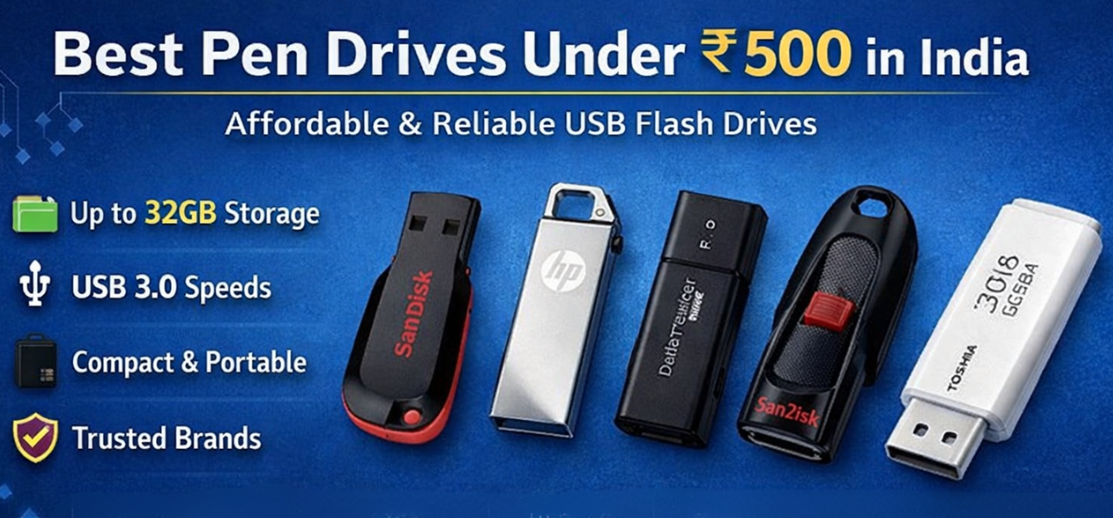
In the modern digital environment, pen drives remain one of the most practical and affordable storage devices for transferring files, storing documents, and backing up important data. Whether we need to carry presentations, movies, office files, or software installations, a budget USB flash drive under ₹500 provides a convenient and portable storage solution.
Today’s entry-level flash drives offer fast USB 3.0 speeds, compact designs, reliable build quality, and compatibility with laptops, desktops, smart TVs, and even smartphones. Choosing the right model ensures dependable performance without exceeding a modest budget.
This detailed guide presents the best pen drives under ₹500 in India, including features, specifications, buying advice, comparison tables, and expert insights to help select the most reliable budget flash drive.
Why Budget Pen Drives Are Still Essential
Even with the rise of cloud storage, USB pen drives continue to be indispensable for everyday digital tasks.
Key advantages
-
Instant file transfer without internet
-
Compact and portable design
-
Affordable data storage
-
Compatibility with almost every device
-
Easy backup solution
Students, professionals, photographers, and casual users rely on these drives for quick data sharing and secure offline storage.
Key Features to Look for in the Best Pen Drives Under ₹500
Selecting a budget USB drive requires careful attention to several essential factors.
1. Storage Capacity
Pen drives under ₹500 usually offer 16GB, 32GB, and sometimes 64GB storage.
| Capacity | Ideal Use |
|---|---|
| 16GB | Documents and presentations |
| 32GB | Photos, music, and office files |
| 64GB | Movies and larger data transfers |
For most users, 32GB provides the best balance of price and storage.
2. USB Interface (USB 2.0 vs USB 3.0)
The interface determines file transfer speed.
| Interface | Speed | Use Case |
|---|---|---|
| USB 2.0 | Up to 60 MB/s | Basic file transfers |
| USB 3.0 | Up to 150 MB/s | Faster copying and backups |
Choosing USB 3.0 drives under ₹500 provides significantly better performance.
3. Build Quality
A good pen drive should include:
-
Durable plastic or metal casing
-
Shock resistance
-
Compact form factor
-
Protective cap or retractable connector
Durability ensures the drive survives daily transportation.
4. Compatibility
The best USB drives support multiple devices including:
-
Laptops and desktops
-
Smart TVs
-
Gaming consoles
-
Car infotainment systems
-
Android smartphones (with OTG support)
5. Brand Reliability
Trusted brands typically provide:
-
Better quality control
-
Longer lifespan
-
Warranty support
-
Consistent performance
Choosing reputable manufacturers ensures dependable storage.
Best Pen Drives Under ₹500 in India
Below are some of the most reliable and affordable USB flash drives available today.
1. SanDisk Cruzer Blade USB Flash Drive
Specifications
-
Capacity: 16GB / 32GB
-
Interface: USB 2.0
-
Compact lightweight design
-
Compatible with Windows and Mac
Key Features
-
Reliable brand reputation
-
Ultra-compact design
-
Easy plug-and-play usage
-
Ideal for everyday data storage
Best For
Students and office users who need affordable and reliable portable storage.
2. HP v236w Metal USB Flash Drive
Specifications
-
Capacity: 32GB
-
Interface: USB 2.0
-
Metal body design
Key Features
-
Premium metal finish
-
Strong durability
-
Scratch-resistant design
-
Elegant compact size
Best For
Users who want a stylish and durable pen drive within budget.
3. Kingston DataTraveler USB Flash Drive
Specifications
-
Capacity: 32GB
-
Interface: USB 3.0
-
Lightweight plastic casing
Key Features
-
Faster data transfer speeds
-
Reliable flash memory
-
Universal device compatibility
Best For
Users needing fast transfers for large files.
4. SanDisk Ultra USB 3.0 Flash Drive
Specifications
-
Capacity: 32GB
-
Interface: USB 3.0
-
Retractable design
Key Features
-
High-speed file transfer
-
Secure file encryption support
-
Durable construction
Best For
Professionals transferring large multimedia files.
5. Toshiba Hayabusa USB Flash Drive
Specifications
-
Capacity: 16GB / 32GB
-
Interface: USB 2.0
Key Features
-
Affordable pricing
-
Lightweight design
-
Reliable performance
Best For
Everyday document storage.
Pen Drive Comparison Table (Under ₹500)
| Model | Capacity | Interface | Build | Best Use |
|---|---|---|---|---|
| SanDisk Cruzer Blade | 16GB/32GB | USB 2.0 | Plastic | Documents |
| HP v236w | 32GB | USB 2.0 | Metal | Durable use |
| Kingston DataTraveler | 32GB | USB 3.0 | Plastic | Fast transfers |
| SanDisk Ultra | 32GB | USB 3.0 | Retractable | Multimedia files |
| Toshiba Hayabusa | 16GB/32GB | USB 2.0 | Plastic | Budget storage |
Advantages of Using Pen Drives
Pen drives provide several practical benefits that make them a preferred storage device.
Major Benefits
-
Instant data portability
-
Compact and lightweight design
-
No internet required
-
Affordable storage solution
-
Simple plug-and-play functionality
These advantages make USB drives perfect for daily digital tasks.
Best Use Cases for Budget Pen Drives
Budget flash drives under ₹500 serve a wide variety of uses.
Students
Students commonly use pen drives for:
-
Assignments
-
Presentations
-
Study materials
-
Project files
Office Professionals
Professionals store:
-
Business documents
-
Portable software
-
Backup files
Media Storage
Pen drives can also store:
-
Movies
-
Music
-
Photos
-
TV recordings
Bootable Operating Systems
USB drives are commonly used for:
-
Windows installation
-
Linux live systems
-
Recovery tools
Tips to Extend the Life of a Pen Drive
Proper usage ensures longer lifespan and reliable performance.
1. Always safely eject the device
Removing the drive without ejecting may corrupt stored data.
2. Avoid extreme temperatures
Heat can damage flash memory components.
3. Keep the connector clean
Dust or moisture may affect connection stability.
4. Use antivirus protection
Malware can infect portable drives during file transfers.
5. Avoid physical pressure
Small drives can break if bent or forced.
Common Mistakes to Avoid When Buying Cheap Pen Drives
Buying counterfeit products
Low-quality replicas may have fake storage capacity.
Ignoring interface speed
USB 3.0 offers significantly faster transfer rates.
Overlooking warranty
Reliable brands provide warranty coverage.
Choosing unknown manufacturers
Trusted brands ensure better durability.
Future of USB Flash Drives
Flash storage technology continues to evolve rapidly.
Emerging developments include
-
USB 3.2 and USB4 drives
-
Larger 1TB portable flash drives
-
Dual USB-C connectors
-
Advanced hardware encryption
Future flash drives will deliver higher speeds and increased reliability while remaining portable and affordable.
Conclusion
Pen drives under ₹500 offer an excellent balance of affordability, portability, and convenience. With storage capacities up to 32GB or 64GB and improved USB 3.0 transfer speeds, budget flash drives are capable of handling everyday digital needs efficiently.
Choosing a trusted brand, selecting the appropriate capacity, and ensuring USB 3.0 compatibility will provide reliable performance for documents, media files, and quick backups.
A well-chosen USB flash drive remains one of the most useful digital tools for students, professionals, and casual users alike.
Key Takeaways
-
Budget pen drives provide portable storage under ₹500
-
32GB capacity offers the best value
-
USB 3.0 drives deliver faster file transfers
-
Trusted brands ensure better durability and reliability
-
Pen drives remain essential tools for quick data sharing
FAQs
1. What is the best pen drive under ₹500?
Reliable 32GB USB drives from trusted brands offer the best value.
2. Is 32GB enough storage?
Yes, for documents, photos, and small media files.
3. What is the difference between USB 2.0 and USB 3.0?
USB 3.0 provides much faster transfer speeds.
4. Can pen drives store movies?
Yes, depending on available capacity.
5. Are metal pen drives more durable?
Yes, metal casings offer better protection.
6. Do pen drives work with smartphones?
Yes, if the phone supports USB OTG.
7. How long do pen drives last?
Most last 5–10 years with proper use.
8. Can pen drives get viruses?
Yes, they can carry malware between devices.
9. What capacity should students buy?
32GB is generally ideal.
10. Are cheap pen drives reliable?
Yes, when purchased from reputable brands.
11. Can I store software installers on pen drives?
Yes, many people use them for software distribution.
12. What is the fastest budget pen drive?
USB 3.0 drives provide the highest speeds.
13. Can I password protect my pen drive?
Yes, using encryption software.
14. Are pen drives waterproof?
Most are not, unless specifically designed.
15. Can a pen drive run an operating system?
Yes, bootable drives can run OS installers.
16. Are pen drives compatible with Mac?
Yes, when formatted appropriately.
17. Do pen drives require drivers?
No, they are plug-and-play devices.
18. How do I format a pen drive?
Through your operating system’s disk management tools.
19. Is 16GB enough storage today?
It works for documents but may be limited for media.
20. Can pen drives connect to TVs?
Yes, many smart TVs support USB playback.
21. Do USB drives lose data over time?
Flash memory can degrade after many years.
22. Are retractable drives better than capped ones?
They prevent losing the protective cap.
23. What file system works across devices?
exFAT offers broad compatibility.
24. Can I repair a corrupted pen drive?
Sometimes formatting or recovery tools can fix it.
25. What is the safest way to store important files?
Maintain multiple backups across different storage devices.