
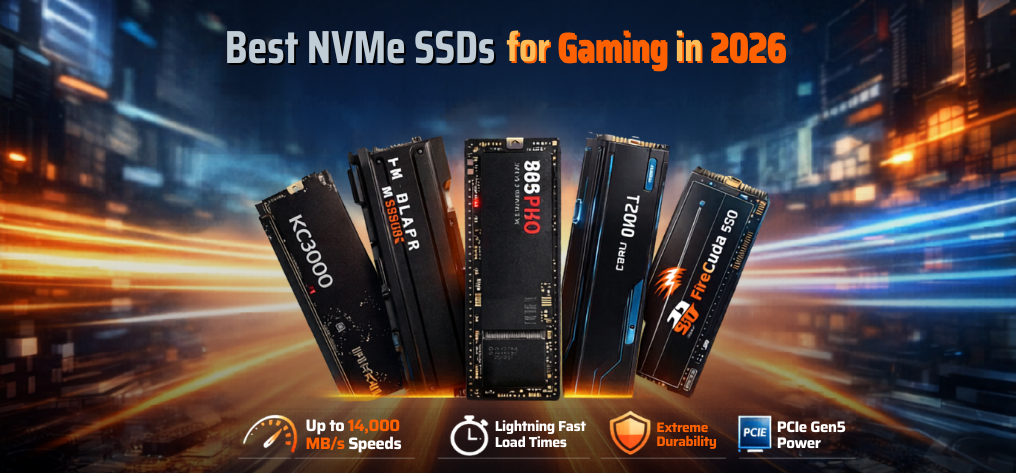
In modern gaming, storage performance is no longer optional—it is critical. As game file sizes exceed 100GB and real-time asset streaming becomes standard, NVMe SSDs have become the backbone of high-performance gaming systems. We present a deeply researched, highly detailed guide to the best NVMe SSDs for gaming in 2026, engineered to deliver unmatched speed, minimal load times, and exceptional durability.
Why NVMe SSDs Are Essential for Gaming Performance
Traditional hard drives and even SATA SSDs cannot keep up with the demands of modern AAA titles. NVMe (Non-Volatile Memory Express) drives operate over PCIe interfaces, enabling massive bandwidth, ultra-low latency, and superior multitasking performance.
Key advantages include:
- Blazing-fast read/write speeds (up to 14,000 MB/s)
- Reduced game loading times
- Faster texture streaming in open-world games
- Improved system responsiveness
- Better performance for game recording and streaming
Top NVMe SSDs for Gaming (2026 Edition)
1. Samsung 990 Pro – The Ultimate Gaming SSD
The Samsung 990 Pro stands at the top with industry-leading performance and reliability.
Specifications:
- Sequential Read: 7450 MB/s
- Sequential Write: 6900 MB/s
- Interface: PCIe Gen4
- Capacity: 1TB / 2TB / 4TB
Why it excels:
- Exceptional thermal efficiency
- Optimized for DirectStorage technology
- Industry-leading endurance
Best for: Hardcore gamers, streamers, and professionals seeking maximum speed and stability.
2. WD Black SN850X – Built for Competitive Gaming
The WD Black SN850X is designed for gamers who demand ultra-low latency and consistent performance.
Specifications:
- Read Speed: 7300 MB/s
- Write Speed: 6600 MB/s
- Optional heatsink variant
Key highlights:
- Game Mode 2.0 optimization
- Excellent sustained performance
- Strong compatibility with gaming consoles
Best for: Competitive gamers who prioritize fast load times and responsiveness.
3. Kingston KC3000 – Best Value High-Performance SSD
The Kingston KC3000 delivers premium performance at a competitive price point.
Specifications:
- Read Speed: 7000 MB/s
- Write Speed: 7000 MB/s
- Controller: Phison E18
Advantages:
- Outstanding price-to-performance ratio
- Consistent speeds under heavy workloads
- Great for both gaming and productivity
Best for: Gamers looking for high-end performance without overspending.
4. Crucial T700 – PCIe Gen5 Beast
The Crucial T700 represents the next generation of storage with PCIe Gen5 speeds.
Specifications:
- Read Speed: Up to 12,400 MB/s
- Write Speed: Up to 11,800 MB/s
Why it stands out:
- Future-proof technology
- Unmatched raw speed
- Ideal for next-gen gaming systems
Best for: Enthusiasts building cutting-edge gaming rigs.
5. Seagate FireCuda 530 – Durability Champion
The Seagate FireCuda 530 combines speed with exceptional endurance ratings.
Specifications:
- Read Speed: 7300 MB/s
- Write Speed: 6900 MB/s
- Endurance: Industry-leading TBW
Strengths:
- Perfect for heavy gaming workloads
- Excellent reliability
- Long lifespan
Best for: Gamers who need long-term reliability and durability.
6. Corsair MP600 Pro XT – Performance with Cooling
The Corsair MP600 Pro XT integrates a robust heatsink, ensuring sustained performance.
Specifications:
- Read Speed: 7100 MB/s
- Write Speed: 6800 MB/s
Key features:
- Superior thermal management
- Stable performance during long gaming sessions
- Ideal for overclocked systems
Best for: Users concerned about thermal throttling.
How to Choose the Best NVMe SSD for Gaming
1. PCIe Generation Matters
- PCIe Gen3: Budget-friendly, adequate performance
- PCIe Gen4: Ideal for modern gaming setups
- PCIe Gen5: Future-proof, extreme speeds
2. Storage Capacity
Modern games require substantial storage:
- 500GB: Entry-level
- 1TB: Recommended minimum
- 2TB+: Best for large libraries
3. Thermal Management
NVMe SSDs generate heat under load. Choose models with:
- Built-in heatsinks
- Motherboard cooling solutions
4. Endurance & Reliability
Look for high TBW (Terabytes Written) ratings for longevity.
NVMe vs SATA SSD for Gaming
| Feature | NVMe SSD | SATA SSD |
|---|---|---|
| Speed | Up to 14,000 MB/s | Up to 550 MB/s |
| Latency | Ultra-low | Moderate |
| Gaming Performance | Excellent | Good |
| Future-Proof | Yes | Limited |
Best NVMe SSD for Different Gaming Needs
Budget Gamers
- Kingston NV2
- WD Blue SN570
Mid-Range Gamers
- Kingston KC3000
- WD Black SN850X
High-End Gamers
- Samsung 990 Pro
- Seagate FireCuda 530
Extreme Enthusiasts
- Crucial T700 (Gen5)
Installation Tips for Maximum Performance
- Install SSD in primary M.2 slot
- Enable PCIe Gen4/Gen5 in BIOS
- Use proper cooling solutions
- Keep firmware updated
Future of Gaming Storage
The future of gaming storage lies in:
- DirectStorage technology
- AI-driven asset streaming
- PCIe Gen5 and beyond
These advancements will eliminate loading screens entirely and redefine gaming immersion.
Final Verdict: Which NVMe SSD Should You Choose?
- Best Overall: Samsung 990 Pro
- Best Value: Kingston KC3000
- Best Durability: Seagate FireCuda 530
- Best Future-Proof: Crucial T700
Choosing the right SSD ensures faster gameplay, smoother performance, and long-term reliability.
FAQs
1. What is an NVMe SSD?
A high-speed storage device using PCIe interface.
2. Is NVMe better than SATA?
Yes, significantly faster and more efficient.
3. Does NVMe improve FPS?
Indirectly, mainly reduces load times.
4. How much SSD storage is enough?
At least 1TB for modern gaming.
5. Are Gen5 SSDs worth it?
Yes for future-proofing, but expensive.
6. Do SSDs overheat?
Yes, use heatsinks.
7. Can I use NVMe on any motherboard?
Only if it has an M.2 slot.
8. What is TBW?
Drive lifespan measurement.
9. Is 500GB enough?
Only for casual gaming.
10. Does SSD affect boot time?
Yes, drastically faster.
11. What is DirectStorage?
Faster game asset loading tech.
12. Are NVMe SSDs reliable?
Yes, highly reliable.
13. Do I need a heatsink?
Recommended for Gen4/Gen5.
14. Can SSD improve streaming?
Yes, smoother recording.
15. Which brand is best?
Samsung, WD, Seagate.
16. Is DRAM important?
Yes, improves performance.
17. How long do SSDs last?
5–10 years typically.
18. Can I upgrade later?
Yes, easily.
19. Are SSDs good for laptops?
Excellent upgrade.
20. Does SSD reduce lag?
Yes in loading and streaming.
21. What is PCIe?
High-speed data interface.
22. Are NVMe SSDs expensive?
Prices are decreasing.
23. Which SSD for PS5?
WD SN850X, FireCuda 530.
24. Can SSD fail suddenly?
Rare but possible.
25. Should I buy Gen4 or Gen5?
Gen4 for now, Gen5 for future.