
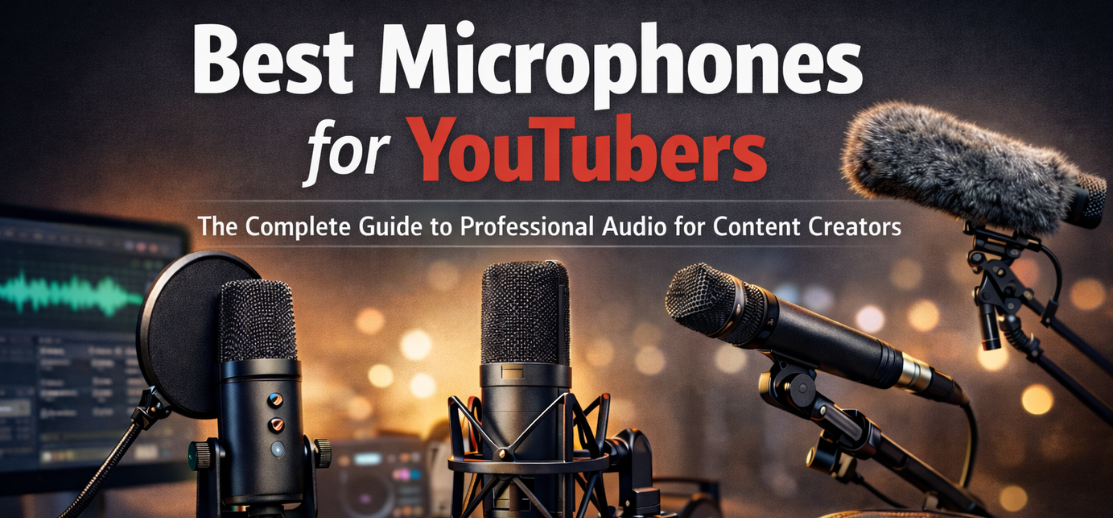
High-quality audio is one of the most critical elements of successful YouTube content. Viewers may tolerate imperfect lighting or simple visuals, but poor sound quality drives audiences away quickly. For creators who want to grow a channel, increase watch time, and build a professional brand, choosing the best microphone for YouTube recording is a foundational investment.
In this comprehensive guide, we explore the best microphones for YouTubers, the technologies behind them, how to select the right type for different content styles, and how to optimize your recording setup for crystal-clear sound. Whether producing vlogs, gaming streams, interviews, podcasts, or educational tutorials, the right microphone dramatically elevates production value.
Why Audio Quality Matters for YouTube Success 🎙️
Video platforms prioritize engagement metrics such as watch time, audience retention, and subscriber growth. Poor audio quality negatively affects all three.
Key reasons professional microphones matter include:
-
Viewer retention: Audiences abandon videos with distorted or muffled sound.
-
Perceived professionalism: Clear audio signals expertise and credibility.
-
Improved storytelling: Dialogue, commentary, and narration become easier to follow.
-
Better editing flexibility: Clean recordings allow noise reduction and mixing without degradation.
Built-in camera or laptop microphones capture excessive ambient noise and often compress audio heavily. Dedicated microphones capture fuller frequency ranges, cleaner vocals, and directional sound isolation.
Types of Microphones for YouTube Content Creation
Understanding microphone categories is essential when selecting the best option for your content format.
USB Microphones
USB microphones connect directly to computers, making them ideal for beginners and creators who need simplicity.
Advantages
-
Plug-and-play functionality
-
No external audio interface required
-
Excellent for streaming and voiceovers
-
Affordable professional sound
Best Use Cases
-
Gaming channels
-
Podcast-style videos
-
Voiceover tutorials
-
Screen recording content
USB microphones are often the best microphones for beginner YouTubers due to their ease of setup and consistent sound.
XLR Microphones
XLR microphones require an audio interface or mixer but deliver studio-grade sound quality.
Advantages
-
Superior audio clarity
-
Expandable studio setups
-
Greater control over gain and processing
-
Used in professional broadcasting
Best Use Cases
-
Studio YouTube channels
-
Interview setups
-
Podcast studios
-
Professional narration
Creators aiming for broadcast-level audio production often upgrade from USB to XLR systems.
Shotgun Microphones
Shotgun microphones capture highly directional sound from the front while minimizing side noise.
Advantages
-
Excellent noise rejection
-
Ideal for filming environments
-
Compatible with cameras and boom poles
Best Use Cases
-
Outdoor filming
-
Documentary-style content
-
Cinematic YouTube productions
-
Travel vlogs
Shotgun microphones are widely considered the best microphones for YouTube video recording with cameras.
Lavalier Microphones (Lapel Mics)
Lavalier microphones clip onto clothing, allowing hands-free recording.
Advantages
-
Compact and discreet
-
Consistent vocal distance
-
Great mobility
Best Use Cases
-
Interviews
-
Tutorials
-
Talking-head videos
-
Educational channels
Wireless lavalier systems are especially popular among professional YouTubers and presenters.
Best Microphone Features YouTubers Should Look For
Selecting the right microphone requires understanding key technical features.
Polar Patterns
Polar patterns determine how microphones capture sound.
Common patterns include:
| Polar Pattern | Description | Best For |
|---|---|---|
| Cardioid | Captures sound from front | Voice recording |
| Omnidirectional | Captures sound from all directions | Interviews |
| Bidirectional | Captures front and back | Two-person podcasts |
| Shotgun | Highly directional | Film production |
Most YouTube creators prefer cardioid microphones because they focus on voice while reducing background noise.
Frequency Response
Frequency response describes the range of sound captured.
-
Human voice range: 85 Hz – 255 Hz
-
Professional microphones capture 20 Hz – 20 kHz
A broader range produces richer and more natural audio.
Sensitivity
Sensitivity measures how well a microphone captures quiet sounds.
Higher sensitivity means:
-
Clearer voice recordings
-
Less need for amplification
-
More detailed audio
However, extremely sensitive microphones may capture room noise and echoes.
Signal-to-Noise Ratio
Signal-to-noise ratio (SNR) indicates how clean the recording is.
Higher SNR values mean:
-
Less background hiss
-
Clearer dialogue
-
Better sound editing flexibility
Professional microphones typically feature SNR above 70 dB.
Best Microphones for Different Types of YouTubers
Different content styles require different microphone setups.
Best Microphones for Gaming YouTubers 🎮
Gaming creators require microphones that capture voice clearly while rejecting keyboard and fan noise.
Ideal features include:
-
Cardioid polar pattern
-
Built-in pop filter
-
Low self-noise
-
Adjustable gain control
Desk-mounted USB microphones are commonly used for streaming, commentary, and live gameplay narration.
Best Microphones for Vloggers
Vlogging requires mobility and portability.
Recommended microphone styles:
-
Compact shotgun microphones
-
Wireless lavalier microphones
-
On-camera microphones
These microphones attach directly to cameras or portable rigs, ensuring consistent voice clarity while moving.
Best Microphones for YouTube Interviews
Interview channels often involve multiple speakers.
Best options include:
-
Dual lavalier systems
-
Multi-channel XLR microphones
-
Omnidirectional microphones
These solutions ensure balanced audio capture for conversations and panel discussions.
Best Microphones for YouTube Voiceovers
Voiceover channels need rich, studio-quality sound.
Essential features include:
-
Large diaphragm condenser microphones
-
Pop filters
-
Acoustic isolation
Voiceover microphones emphasize clarity, warmth, and dynamic range.
Essential Accessories for YouTube Microphone Setups
Microphones alone do not guarantee professional sound. Accessories improve recording quality dramatically.
Pop Filters
Pop filters eliminate harsh plosive sounds from letters like P and B.
Benefits include:
-
Cleaner dialogue
-
Reduced distortion
-
Professional vocal tone
Shock Mounts
Shock mounts isolate microphones from vibrations caused by:
-
Desk movement
-
Keyboard typing
-
Camera adjustments
This prevents low-frequency rumble from entering recordings.
Boom Arms
Boom arms provide flexible positioning and reduce desk clutter.
Advantages:
-
Optimal microphone placement
-
Reduced handling noise
-
Better posture during recording
Acoustic Treatment
Room acoustics influence audio quality significantly.
Recommended solutions:
-
Acoustic foam panels
-
Bass traps
-
Sound-absorbing curtains
These treatments reduce echo and reverberation, producing studio-like recordings.
How to Set Up a YouTube Microphone for Professional Audio
Correct setup ensures the microphone performs at its best.
Step 1: Position the Microphone Properly
Ideal placement:
-
6–12 inches from mouth
-
Slightly off-axis to reduce plosives
-
Facing directly toward the speaker
Step 2: Adjust Gain Levels
Gain determines recording volume.
Correct gain settings prevent:
-
Audio clipping
-
Distortion
-
Low signal noise
Aim for levels around -12 dB to -6 dB during recording.
Step 3: Control Background Noise
Minimize environmental noise by:
-
Turning off fans and air conditioners
-
Recording in carpeted rooms
-
Closing windows
Noise control improves audio clarity and editing flexibility.
Step 4: Monitor Audio in Real Time
Use headphones to detect issues during recording.
Monitoring helps identify:
-
Clipping
-
Microphone movement noise
-
Background interference
Common Microphone Mistakes YouTubers Should Avoid
Many creators struggle with audio because of avoidable mistakes.
Recording Too Far From the Microphone
Distance causes:
-
Thin sound
-
Increased background noise
-
Reduced clarity
Ignoring Room Acoustics
Hard surfaces create echo.
Solutions include:
-
Foam panels
-
Rugs
-
Soft furnishings
Overusing Audio Effects
Excessive equalization and compression can make audio sound unnatural.
Minimal processing usually produces the best YouTube voice recordings.
Using Automatic Gain
Automatic gain adjustments create inconsistent volume levels.
Manual control provides stable audio dynamics.
How Audio Quality Impacts YouTube Algorithm Performance 📈
YouTube’s algorithm prioritizes viewer satisfaction.
High-quality audio improves:
-
Watch duration
-
Engagement
-
Comments and shares
Channels with consistent professional sound develop stronger audience loyalty and brand credibility.
Future Trends in Microphones for Content Creators
Technology continues to improve audio equipment for creators.
Emerging innovations include:
-
AI-powered noise suppression
-
Smart microphones with automatic leveling
-
Portable wireless recording systems
-
Integrated audio interfaces
These advancements make studio-quality sound accessible to independent creators worldwide.
Bullet Point Summary: Choosing the Best Microphone for YouTube
-
Choose USB microphones for simplicity.
-
Use XLR microphones for studio setups.
-
Select shotgun microphones for camera recording.
-
Use lavalier microphones for interviews and tutorials.
-
Maintain proper microphone distance.
-
Use pop filters and shock mounts.
-
Improve room acoustics for professional sound.
-
Monitor recordings with headphones.
-
Adjust gain manually for consistent levels.
-
Record in quiet environments.
Comparison Table: Microphone Types for YouTube
| Microphone Type | Ease of Use | Audio Quality | Portability | Best For |
|---|---|---|---|---|
| USB Microphone | Very Easy | High | Medium | Beginners |
| XLR Microphone | Moderate | Professional | Low | Studios |
| Shotgun Microphone | Easy | High | High | Vlogging |
| Lavalier Microphone | Easy | Medium-High | Very High | Interviews |
| Wireless Microphone | Moderate | High | Very High | Outdoor recording |
FAQs
1. What is the best microphone for beginner YouTubers?
USB microphones are ideal for beginners due to simple setup and reliable sound quality.
2. Do YouTubers need expensive microphones?
Not necessarily. Many mid-range microphones deliver professional audio.
3. Are lavalier microphones good for YouTube videos?
Yes, they are excellent for interviews, tutorials, and presentations.
4. What microphone do vloggers use?
Compact shotgun microphones are commonly used by vloggers.
5. Is USB or XLR better for YouTube?
USB is easier; XLR provides higher professional control.
6. How far should a microphone be from the mouth?
Approximately 6–12 inches.
7. What polar pattern is best for YouTube?
Cardioid is best for voice recording.
8. Can smartphone microphones work for YouTube?
They work but lack professional clarity.
9. Do I need a pop filter?
Yes, it removes plosive sounds.
10. What causes microphone echo?
Room acoustics and reflective surfaces.
11. How can I improve YouTube audio quality?
Use acoustic treatment and proper microphone placement.
12. Are condenser microphones good for voiceovers?
Yes, they capture rich vocal detail.
13. What microphone is best for gaming videos?
Cardioid USB microphones are popular for gaming setups.
14. Should YouTubers use wireless microphones?
Wireless microphones are ideal for movement and outdoor filming.
15. What is microphone gain?
Gain controls input signal strength.
16. How do I remove background noise?
Use directional microphones and noise reduction software.
17. What is a shotgun microphone used for?
Directional recording for film and vlogs.
18. Do microphones affect YouTube ranking?
Indirectly, by improving viewer retention.
19. What accessories improve microphone sound?
Pop filters, boom arms, and acoustic panels.
20. Should I record audio separately from video?
Many professionals record audio externally for better control.
21. What microphone do podcasters use?
Typically dynamic or condenser microphones with XLR connections.
22. How important is audio editing?
Editing improves clarity, balance, and loudness.
23. Can USB microphones sound professional?
Yes, many provide broadcast-level sound.
24. Do microphones need maintenance?
Yes, keep them clean and protected from moisture.
25. How long do professional microphones last?
High-quality microphones can last decades with proper care.