
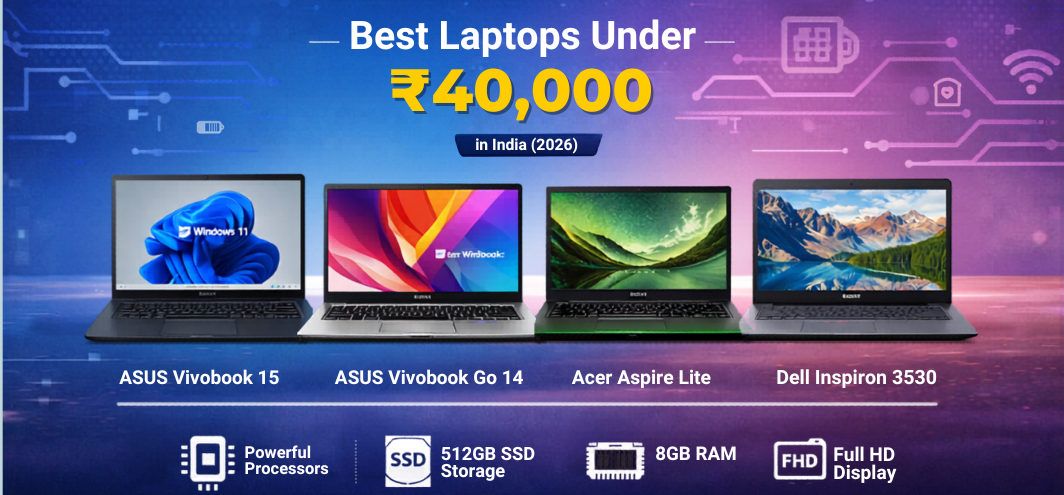
The market for budget laptops under ₹40,000 in India has expanded significantly in recent years. Modern budget laptops now deliver fast processors, SSD storage, efficient multitasking capability, and full HD displays, making them ideal for students, professionals, and home users.
Manufacturers such as HP, ASUS, Acer, Lenovo, and Dell have introduced competitively priced laptops that balance performance, portability, battery life, and durability. With the right configuration, a laptop in this price range can easily handle online learning, office tasks, programming basics, streaming, and everyday computing needs.
This detailed guide explores the best laptops under ₹40,000, including specifications, performance insights, comparisons, and expert buying tips.
Top Laptops Under ₹40,000 in India
1. ASUS Vivobook 15 – Best Overall Laptop Under ₹40,000
The ASUS Vivobook 15 offers a balanced combination of performance, display quality, and sleek design. It is one of the most popular budget laptops for students and office users.
Key Specifications
| Feature | Specification |
|---|---|
| Processor | Intel Core i3 |
| RAM | 8GB DDR4 |
| Storage | 512GB SSD |
| Display | 15.6-inch Full HD |
| Operating System | Windows 11 |
| Weight | Approx. 1.7 kg |
Performance
The Intel Core i3 processor with SSD storage provides smooth performance for everyday tasks including:
-
Microsoft Office work
-
Web browsing with multiple tabs
-
Online classes and video meetings
-
Light programming tasks
Advantages
-
Large Full HD display
-
Reliable performance
-
Comfortable keyboard
-
Fast boot time
2. ASUS Vivobook Go 14 – Best Lightweight Laptop
The ASUS Vivobook Go 14 is designed for portability while still delivering solid performance.
Key Specifications
| Feature | Specification |
|---|---|
| Processor | AMD Ryzen series |
| RAM | 8GB |
| Storage | 512GB SSD |
| Display | 14-inch Full HD |
| Weight | Around 1.38 kg |
Performance
The Ryzen processor delivers efficient multitasking and strong battery performance, making it perfect for users who travel frequently.
Advantages
-
Lightweight and portable
-
Good battery life
-
Fast SSD storage
-
Compact design
3. ASUS Vivobook Go 15 – Best Ryzen Laptop Under ₹40,000
The ASUS Vivobook Go 15 provides strong performance thanks to AMD Ryzen processors.
Key Specifications
| Feature | Specification |
|---|---|
| Processor | AMD Ryzen 5 |
| RAM | 8GB |
| Storage | 512GB SSD |
| Display | 15.6-inch Full HD |
| Graphics | Integrated Radeon graphics |
Performance
The Ryzen processor provides excellent multi-core performance, making it suitable for:
-
Productivity work
-
Coding and development
-
Multimedia consumption
-
Light editing tasks
Advantages
-
Strong processor performance
-
Large Full HD display
-
Efficient power consumption
4. Acer Aspire Lite – Best Performance Laptop
The Acer Aspire Lite offers one of the most powerful processors available in this budget category.
Key Specifications
| Feature | Specification |
|---|---|
| Processor | AMD Ryzen 5 |
| RAM | 8GB |
| Storage | 512GB SSD |
| Display | 15.6-inch Full HD |
| Operating System | Windows 11 |
Performance
With a powerful Ryzen processor, this laptop handles heavy multitasking and productivity workloads smoothly.
Advantages
-
Strong CPU performance
-
Large display for productivity
-
Affordable pricing
5. Dell Inspiron 3530 – Best Reliable Laptop
The Dell Inspiron 3530 is known for its durable build quality and reliable performance.
Key Specifications
| Feature | Specification |
|---|---|
| Processor | Intel Core i3 |
| RAM | 8GB |
| Storage | 512GB SSD |
| Display | 15.6-inch Full HD |
| OS | Windows 11 |
Performance
This laptop performs reliably for professional tasks, office work, and everyday computing.
Advantages
-
Strong build quality
-
Trusted brand reliability
-
Good customer support
Key Features to Look for in Laptops Under ₹40,000
1. Processor Performance
The processor is the most important component of a laptop.
Common processors in this price range include:
-
Intel Core i3
-
AMD Ryzen 3
-
AMD Ryzen 5
These processors are capable of handling productivity tasks, online learning, browsing, and basic software development.
2. RAM Capacity
For smooth multitasking, 8GB RAM is strongly recommended.
Benefits include:
-
Faster performance
-
Better multitasking
-
Smooth browser operation
3. Storage Type
Most modern budget laptops now use SSD storage instead of traditional hard drives.
Advantages of SSD
-
Faster boot time
-
Faster application loading
-
Better overall system responsiveness
A 512GB SSD provides a good balance of speed and storage capacity.
4. Display Quality
A Full HD display (1920 × 1080 resolution) is ideal for comfortable viewing.
Key features to look for:
-
Anti-glare screen
-
Thin bezels
-
Good brightness levels
5. Battery Life
Budget laptops usually offer 6–8 hours of battery life, depending on usage.
Battery performance depends on:
-
Processor efficiency
-
Screen brightness
-
Background applications
Best Laptop Brands Under ₹40,000
Several brands dominate the budget laptop category.
ASUS
Known for stylish design, strong performance, and competitive pricing.
HP
Offers durable laptops with professional design and reliable customer support.
Acer
Provides powerful processors at affordable prices.
Dell
Recognized for durability, build quality, and dependable service.
Lenovo
Popular for comfortable keyboards and productivity-focused laptops.
Best Laptops Under ₹40,000 for Different Users
Best Laptop for Students
Students require a laptop that is lightweight, affordable, and capable of handling daily academic tasks.
Recommended features:
-
8GB RAM
-
SSD storage
-
Good battery life
-
Portable design
Best choices:
-
ASUS Vivobook Go 14
-
Acer Aspire Lite
Best Laptop for Office Work
Office users require reliable performance and a comfortable display.
Important features:
-
Reliable processor
-
Full HD display
-
Comfortable keyboard
Recommended models:
-
ASUS Vivobook 15
-
Dell Inspiron 3530
Best Laptop for Programming Beginners
Programming requires stable performance and sufficient RAM.
Recommended specifications:
-
Minimum 8GB RAM
-
SSD storage
-
Reliable processor
Best options:
-
Acer Aspire Lite Ryzen 5
-
ASUS Vivobook Go 15
Advantages of Buying Laptops Under ₹40,000
Budget laptops offer excellent value for everyday computing needs.
Major Benefits
-
Affordable pricing
-
Efficient processors
-
Lightweight design
-
Fast SSD storage
-
Long battery life
Limitations of Budget Laptops
While budget laptops are highly capable, there are certain limitations.
Common Limitations
-
Limited gaming performance
-
Basic integrated graphics
-
Average display brightness
-
Limited hardware upgrades
However, these laptops still deliver excellent productivity performance for daily tasks.
Laptop Buying Tips for Budget Buyers
Before purchasing a laptop under ₹40,000, consider the following factors.
Important Buying Tips
-
Always choose SSD storage
-
Prefer 8GB RAM or more
-
Select a Full HD display
-
Check the processor generation
-
Buy from trusted brands
Future Trends in Budget Laptops
The budget laptop segment continues to evolve.
Upcoming improvements include:
-
More efficient processors
-
Better battery life
-
Improved integrated graphics
-
Thinner and lighter designs
These advancements will make budget laptops even more powerful and versatile.
Comparison Table – Best Laptops Under ₹40,000
| Laptop | Processor | RAM | Storage | Display |
|---|---|---|---|---|
| ASUS Vivobook 15 | Intel Core i3 | 8GB | 512GB SSD | 15.6" FHD |
| ASUS Vivobook Go 14 | Ryzen series | 8GB | 512GB SSD | 14" FHD |
| ASUS Vivobook Go 15 | Ryzen 5 | 8GB | 512GB SSD | 15.6" FHD |
| Acer Aspire Lite | Ryzen 5 | 8GB | 512GB SSD | 15.6" FHD |
| Dell Inspiron 3530 | Intel Core i3 | 8GB | 512GB SSD | 15.6" FHD |
FAQs
1. Which laptop is best under ₹40,000 in India?
ASUS Vivobook 15 and Acer Aspire Lite are among the best choices.
2. Is 8GB RAM enough for a laptop?
Yes, 8GB RAM is sufficient for everyday multitasking.
3. Which processor is best under ₹40,000?
Intel Core i3 and AMD Ryzen 5 processors offer the best performance.
4. Can laptops under ₹40,000 run programming software?
Yes, they can run programming tools such as Python, Java, and VS Code.
5. Are budget laptops good for students?
Yes, they are ideal for online classes, assignments, and research.
6. Can these laptops handle gaming?
They support light and casual gaming.
7. Is SSD necessary in budget laptops?
Yes, SSD significantly improves speed and performance.
8. What display size is best?
15.6-inch displays provide comfortable viewing.
9. How long do budget laptops last?
Typically between 4 and 6 years.
10. Can RAM be upgraded?
Some models allow RAM upgrades.
11. Are Ryzen processors reliable?
Yes, Ryzen processors are known for strong multi-core performance.
12. Which laptop brand is most reliable?
ASUS, HP, Acer, Lenovo, and Dell are all reliable brands.
13. Do budget laptops include Windows 11?
Most modern models come with Windows 11.
14. Can they run Microsoft Office?
Yes, they run Office applications smoothly.
15. Are they good for video calls?
Yes, they support Zoom, Teams, and Google Meet.
16. Can they run Photoshop?
Basic editing is possible.
17. What battery life should I expect?
Around 6–8 hours.
18. Are they suitable for coding?
Yes, especially for beginners.
19. Do these laptops support external monitors?
Yes, most include HDMI ports.
20. Are they lightweight?
Most weigh between 1.3 kg and 1.8 kg.
21. Is 512GB storage enough?
Yes, it is sufficient for most users.
22. Can Linux be installed?
Yes, most laptops support Linux.
23. Are budget laptops durable?
Yes, if maintained properly.
24. Is Full HD display necessary?
Yes, it provides clearer visuals.
25. Should I buy online or offline?
Online stores often provide better discounts.