
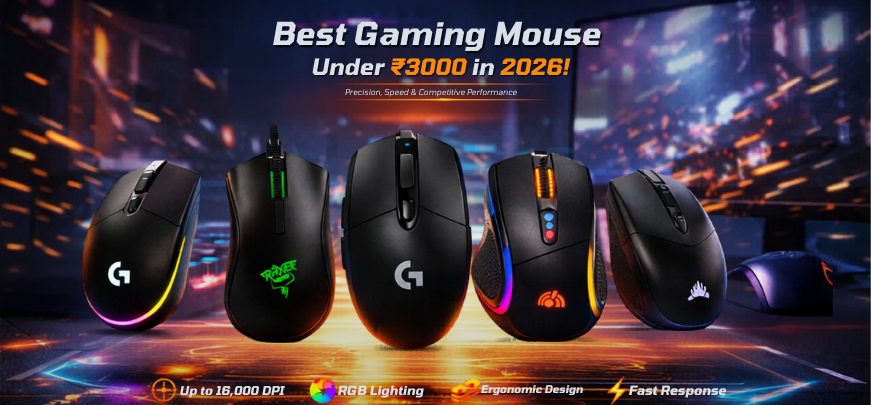
In the highly competitive ecosystem of PC gaming, esports, and high-performance computing, the gaming mouse has evolved into a critical weapon of precision and control. A well-designed gaming mouse directly influences reaction time, aiming accuracy, tracking stability, and overall gameplay performance. The good news is that the sub-₹3000 category now delivers exceptional technology, premium sensors, ergonomic designs, and customizable features once reserved for high-end devices.
We present a deeply optimized, performance-focused, and expertly curated guide to the best gaming mouse under ₹3000 in 2026, engineered to deliver pixel-perfect accuracy, ultra-fast responsiveness, ergonomic comfort, and long-lasting durability.
Why Gaming Mice Under ₹3000 Deliver Exceptional Value
The ₹1000–₹3000 price segment has become a highly competitive category, offering:
- High-precision optical sensors (up to 16,000 DPI)
- Customizable RGB lighting and software support
- Ergonomic designs for long sessions
- Durable switches rated for millions of clicks
- Low-latency wired and wireless connectivity
This category provides professional-level performance without premium pricing, making it ideal for gamers, streamers, and productivity users.
Key Features to Consider in the Best Gaming Mouse Under ₹3000
1. Sensor Performance & DPI Accuracy
A high-quality sensor ensures:
- Accurate tracking
- No acceleration or jitter
- Consistent performance across surfaces
Look for sensors like PixArt PMW series, known for precision.
2. Polling Rate & Responsiveness
- 1000Hz polling rate ensures 1ms response time
- Critical for fast-paced FPS and competitive gaming
3. Ergonomic Design & Grip Style
Choose based on:
- Palm grip
- Claw grip
- Fingertip grip
A well-designed mouse reduces fatigue during extended sessions.
4. Build Quality & Switch Durability
- Switch lifespan of 10–50 million clicks
- Strong shell construction for long-term use
5. Weight & Balance
- Lightweight mice (60–90g) for faster movements
- Heavier mice for controlled precision
6. Wired vs Wireless
- Wired: zero latency, stable connection
- Wireless: freedom and portability
Top 10 Best Gaming Mouse Under ₹3000 in 2026
1. Logitech G102 Lightsync – Best Overall Gaming Mouse
The Logitech G102 Lightsync remains the benchmark in budget gaming mice.
Key Features:
- 8000 DPI sensor
- Lightsync RGB lighting
- Lightweight design
Performance Insight:
We rank this as the best gaming mouse under ₹3000 for its consistent accuracy and reliability.
2. Razer DeathAdder Essential – Best Ergonomic Gaming Mouse
The Razer DeathAdder Essential delivers iconic ergonomics and comfort.
Key Features:
- 6400 DPI optical sensor
- Classic ergonomic shape
- Durable build
Why It Stands Out:
Perfect for users prioritizing comfort and control.
3. Logitech G304 Lightspeed – Best Wireless Gaming Mouse
The Logitech G304 Lightspeed offers low-latency wireless performance.
Key Features:
- HERO sensor
- 12,000 DPI
- Lightspeed wireless technology
Performance Insight:
A top choice for wireless gaming without compromise.
4. Redragon M711 Cobra – Best RGB Gaming Mouse
The Redragon M711 Cobra stands out with aggressive aesthetics and performance.
Key Features:
- 10,000 DPI sensor
- Customizable RGB lighting
- Programmable buttons
Best For:
Gamers seeking visual appeal and customization.
5. Corsair Katar Pro – Lightweight Performance Champion
The Corsair Katar Pro focuses on speed and agility.
Key Features:
- Ultra-lightweight design
- 12,400 DPI sensor
- Low-latency performance
Why Choose It:
Ideal for FPS gamers requiring rapid movements.
6. HP M260 Gaming Mouse – Budget Performer
The HP M260 offers basic gaming performance at a low price.
Key Features:
- Adjustable DPI
- Ergonomic design
- Affordable pricing
Best Use Case:
Entry-level gamers.
7. Zebronics Zeb-Transformer-M – Best Budget RGB Option
The Zebronics Zeb-Transformer-M combines style and affordability.
Key Features:
- RGB lighting
- Multi-button functionality
- Durable design
Performance Insight:
Great for budget-conscious users.
8. Ant Esports GM320 – Best Entry-Level Gaming Mouse
The Ant Esports GM320 delivers solid performance for beginners.
Key Features:
- Adjustable DPI
- Lightweight build
- RGB lighting
Best For:
Casual gamers.
9. Lenovo Legion M200 – Reliable Gaming Companion
The Lenovo Legion M200 offers balanced performance and durability.
Key Features:
- 2400 DPI sensor
- Ambidextrous design
- Lightweight
Why It’s Useful:
Suitable for basic gaming and productivity.
10. Cosmic Byte Kilonova – Best Feature-Rich Budget Mouse
The Cosmic Byte Kilonova offers advanced features at a low cost.
Key Features:
- High DPI sensor
- Programmable buttons
- RGB lighting
Performance Insight:
A feature-packed choice under budget.
Gaming Mouse Comparison Table Under ₹3000
| Mouse Model | DPI | Connectivity | Weight | Best For | Price Range |
|---|---|---|---|---|---|
| Logitech G102 Lightsync | 8000 DPI | Wired | Light | Overall performance | Budget |
| Razer DeathAdder Essential | 6400 DPI | Wired | Medium | Ergonomics | Budget |
| Logitech G304 | 12000 DPI | Wireless | Light | Wireless gaming | Mid |
| Redragon M711 Cobra | 10000 DPI | Wired | Medium | RGB & customization | Budget |
| Corsair Katar Pro | 12400 DPI | Wired | Ultra-light | FPS gaming | Mid |
| HP M260 | 3200 DPI | Wired | Light | Entry-level | Low |
| Zebronics Transformer-M | 3200 DPI | Wired | Medium | Budget RGB | Low |
| Ant Esports GM320 | 4800 DPI | Wired | Light | Beginners | Low |
| Lenovo Legion M200 | 2400 DPI | Wired | Light | Basic use | Low |
| Cosmic Byte Kilonova | 8000 DPI | Wired | Medium | Feature-rich | Budget |
Best Gaming Mouse Under ₹3000 by Use Case
Best for FPS Gaming
- Corsair Katar Pro
- Logitech G102
Best for Wireless Gaming
- Logitech G304
Best for Ergonomics
- Razer DeathAdder Essential
Best for Budget Users
- Zebronics Transformer-M
- Ant Esports GM320
Expert Tips for Choosing the Right Gaming Mouse
- Select lightweight mice for fast-paced gaming
- Use high DPI with low sensitivity for precision
- Ensure proper grip compatibility
- Invest in software customization features
Benefits of Using a Gaming Mouse
- Improved aiming accuracy
- Faster reaction times
- Enhanced comfort and control
- Customizable gameplay experience
FAQs
1. What is the best gaming mouse under ₹3000?
The Logitech G102 Lightsync is the top choice.
2. Is DPI important?
Yes, for precision.
3. What DPI is best for gaming?
800–1600 DPI for most users.
4. Are wireless mice good?
Yes, modern ones are excellent.
5. What is polling rate?
Response frequency.
6. Are gaming mice durable?
Yes.
7. What is RGB lighting?
Aesthetic feature.
8. What is sensor accuracy?
Tracking precision.
9. Are expensive mice better?
Not always.
10. What grip is best?
Depends on preference.
11. Can I use gaming mouse for work?
Yes.
12. What is latency?
Input delay.
13. Are lightweight mice better?
For FPS, yes.
14. What is software customization?
Button programming.
15. Do gaming mice improve performance?
Yes.
16. What is jitter?
Tracking inconsistency.
17. Are wired mice better?
More stable.
18. What is lift-off distance?
Sensor tracking height.
19. Can beginners use gaming mice?
Yes.
20. What is acceleration?
Cursor speed inconsistency.
21. Are all mice ergonomic?
No.
22. What is click latency?
Delay in clicks.
23. Do gaming mice need drivers?
Optional.
24. What is weight balance?
Distribution of weight.
25. Should I upgrade?
Yes, for better performance.