
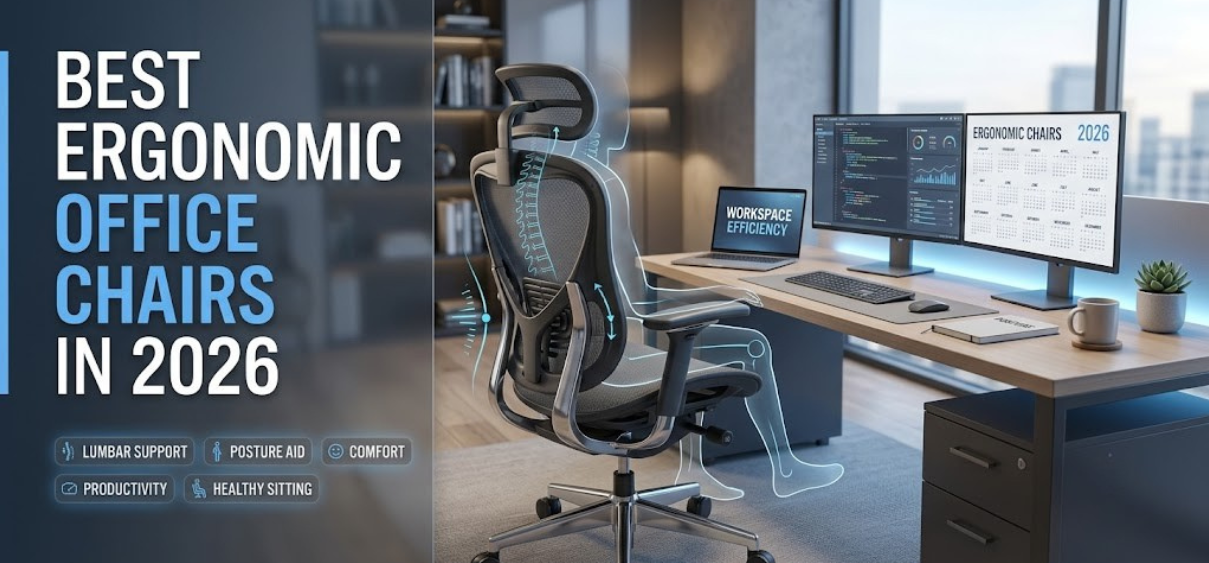
Modern professionals spend 8–12 hours every day sitting in front of computers. Whether working from home, managing a corporate office, editing videos, programming software, attending virtual meetings, or studying for long hours, choosing the best ergonomic office chair has become one of the most important investments for both health and productivity.
A poor-quality office chair contributes to back pain, neck stiffness, shoulder tension, poor circulation, wrist discomfort, muscle fatigue, and reduced concentration. An ergonomic office chair, on the other hand, supports the body's natural posture while encouraging movement throughout the day.
In this comprehensive buying guide, we examine everything you need to know before purchasing an ergonomic office chair, including lumbar support, seat adjustment, armrests, reclining mechanisms, breathable materials, weight capacity, pricing, maintenance, and the best chair types for every user.
What Is an Ergonomic Office Chair?
An ergonomic office chair is specifically engineered to support the human body's natural posture while minimizing stress on muscles and joints during prolonged sitting.
Unlike standard office chairs, ergonomic models include multiple adjustable features that allow users to personalize the chair according to their height, weight, desk setup, and working habits.
The goal is simple:
- Reduce spinal pressure
- Improve sitting posture
- Decrease muscle fatigue
- Increase workplace productivity
- Prevent long-term back problems
Why Ergonomic Chairs Are Essential in 2026
Today's workplace has changed dramatically.
Millions of professionals now work remotely, attend video conferences daily, and spend longer hours using multiple monitors.
Because of this, investing in an ergonomic office chair delivers benefits such as:
- Reduced lower back pain
- Better neck support
- Improved blood circulation
- Enhanced concentration
- Greater comfort during long work sessions
- Lower risk of repetitive strain injuries
- Improved posture
- Higher workplace efficiency
Key Features to Look for in the Best Ergonomic Office Chairs
Adjustable Lumbar Support
The lumbar region naturally curves inward.
Proper lumbar support fills this gap, preventing excessive spinal pressure.
Look for:
- Adjustable height
- Adjustable depth
- Dynamic lumbar movement
- Firm yet comfortable support
Adjustable Seat Height
Correct seat height ensures:
- Feet rest flat on the floor
- Knees remain at approximately 90 degrees
- Hips stay level or slightly higher than knees
Most ergonomic chairs offer pneumatic gas lift adjustment.
Seat Depth Adjustment
Users have different leg lengths.
An adjustable seat depth helps maintain proper circulation behind the knees.
Ideal spacing:
Approximately 2–3 inches between the seat edge and the back of the knees.
Adjustable Armrests
Quality armrests reduce shoulder strain by supporting the arms naturally.
The best ergonomic chairs feature:
- Height adjustment
- Width adjustment
- Pivot adjustment
- Forward/backward movement
These are commonly known as 4D armrests.
Headrest Support
A good headrest supports:
- Neck muscles
- Cervical spine
- Upper shoulders
Especially useful during reclining.
Reclining Mechanism
Reclining reduces spinal compression.
Popular recline options include:
- 90°
- 110°
- 120°
- 135°
- 150°
Some premium chairs feature synchronized tilt mechanisms.
Breathable Mesh Back
Mesh chairs remain popular because they:
- Improve airflow
- Reduce sweating
- Stay cooler during summer
- Require minimal maintenance
Seat Cushion Quality
High-density foam provides:
- Long-term durability
- Better weight distribution
- Reduced pressure points
- Comfortable extended sitting
Memory foam cushions offer additional comfort.
Strong Base and Casters
Choose chairs with:
- Aluminum base
- Steel frame
- Heavy-duty nylon base
- Smooth PU wheels
- Silent rolling casters
Mesh vs Leather Office Chairs
| Feature | Mesh Chair | Leather Chair |
|---|---|---|
| Breathability | Excellent | Moderate |
| Cooling | Excellent | Lower |
| Maintenance | Easy | Moderate |
| Appearance | Modern | Premium |
| Comfort | Excellent | Excellent |
| Heat Build-Up | Low | Higher |
| Durability | High | High |
| Office Style | Contemporary | Executive |
Types of Ergonomic Office Chairs
Executive Chairs
Ideal for:
- CEOs
- Managers
- Executives
- Home offices
Features include:
- High backrest
- Premium upholstery
- Thick cushioning
- Adjustable recline
Mesh Office Chairs
Perfect for:
- Hot climates
- Long work hours
- Developers
- Designers
Benefits:
- Breathable
- Lightweight
- Excellent ventilation
Task Chairs
Designed for:
- Daily office work
- Students
- Reception desks
- Study rooms
Advantages:
- Compact
- Affordable
- Highly adjustable
Big and Tall Chairs
Suitable for heavier users.
Features:
- Wider seat
- Higher weight capacity
- Reinforced frame
- Extra lumbar support
Drafting Chairs
Ideal for:
- Architects
- Designers
- Laboratory professionals
Includes:
- Foot ring
- Taller gas lift
- Elevated seating
Benefits of Using Ergonomic Office Chairs
Improved Posture
Proper spinal alignment reduces fatigue and discomfort.
Reduced Back Pain
Lumbar support minimizes lower back pressure.
Better Blood Circulation
Proper seating prevents leg numbness.
Increased Productivity
Comfort allows users to focus longer.
Reduced Neck Pain
Headrests relieve cervical tension.
Lower Shoulder Fatigue
Armrests support relaxed shoulders.
Long-Term Health Benefits
Good posture helps reduce chronic musculoskeletal problems.
Best Materials Used in Ergonomic Office Chairs
| Material | Advantages |
|---|---|
| Mesh | Breathable, lightweight |
| Fabric | Comfortable, affordable |
| PU Leather | Easy cleaning |
| Genuine Leather | Luxury appearance |
| Memory Foam | Maximum comfort |
| High-Density Foam | Long lifespan |
| Steel Frame | Exceptional durability |
| Aluminum Base | Premium strength |
How to Choose the Right Ergonomic Office Chair
Before purchasing, consider:
Your Height
Short users require lower seat adjustment.
Tall users benefit from higher backrests.
Weight Capacity
Choose chairs rated comfortably above your body weight.
Daily Usage
- 4 Hours
- 8 Hours
- 12+ Hours
Longer usage requires better support.
Workspace Size
Compact rooms benefit from smaller task chairs.
Executive offices suit larger chairs.
Budget
Balance features with long-term durability.
Best Ergonomic Office Chairs for Different Users
| User Type | Recommended Chair Style |
|---|---|
| Remote Workers | Mesh ergonomic chair |
| Gamers | Ergonomic gaming chair |
| Students | Adjustable task chair |
| Executives | Leather executive chair |
| Programmers | Mesh high-back chair |
| Designers | Adjustable lumbar chair |
| Video Editors | High-back ergonomic chair |
| Call Center Staff | Breathable mesh chair |
Common Mistakes to Avoid
Avoid buying chairs based solely on appearance.
Other mistakes include:
- Ignoring lumbar support
- Non-adjustable armrests
- Poor seat cushioning
- Cheap wheels
- Weak frame
- Wrong chair size
- No warranty
- Low weight capacity
Proper Sitting Position
Follow these posture guidelines:
- Feet flat on floor
- Knees at 90°
- Elbows near 90°
- Monitor at eye level
- Shoulders relaxed
- Lower back fully supported
- Wrists neutral
Office Chair Maintenance Tips
Extend chair lifespan by:
- Cleaning mesh monthly
- Tightening screws
- Lubricating moving parts
- Vacuuming fabric
- Cleaning wheels
- Avoiding excessive sunlight
- Checking gas lift periodically
Ergonomic Accessories That Complement Your Chair
Improve comfort further with:
- Adjustable footrest
- Standing desk
- Wrist rest
- Monitor arm
- Laptop stand
- Keyboard tray
- Seat cushion
- Anti-fatigue mat
Signs It's Time to Replace Your Office Chair
Replace your chair if:
- Seat foam has flattened
- Wheels no longer roll
- Lumbar support has failed
- Gas lift sinks
- Chair squeaks excessively
- Fabric tears
- Frame bends
- Armrests wobble
Price Guide for Ergonomic Office Chairs
| Budget | Suitable For |
|---|---|
| Entry-Level | Students, home offices |
| Mid-Range | Professionals |
| Premium | Executives |
| Luxury | Enterprise offices |
Final Thoughts
Choosing the best ergonomic office chair is an investment in your health, productivity, and long-term comfort. A chair with adjustable lumbar support, breathable materials, customizable armrests, quality cushioning, and durable construction can significantly improve your daily work experience while reducing the physical strain associated with prolonged sitting. Whether you are creating a home office, upgrading a corporate workspace, or building a professional gaming setup, prioritizing ergonomic features ensures better posture, greater focus, and lasting value.
FAQs
1. What is an ergonomic office chair?
An ergonomic office chair is designed to support proper posture with adjustable features that reduce strain on the back, neck, shoulders, and hips.
2. Are ergonomic chairs worth buying?
Yes. They improve comfort, posture, and productivity while helping reduce long-term musculoskeletal discomfort.
3. How long can I sit in an ergonomic chair?
They are designed for extended work sessions, but standing and stretching every 30–60 minutes is still recommended.
4. Is mesh better than leather?
Mesh offers better airflow and cooling, while leather provides a premium appearance and plush feel.
5. What is lumbar support?
Lumbar support fills the natural curve of the lower back to reduce spinal pressure.
6. Which chair is best for back pain?
A chair with adjustable lumbar support, seat depth adjustment, and a synchronized recline is ideal.
7. What seat height is correct?
Your feet should rest flat on the floor with knees at roughly 90 degrees.
8. What are 4D armrests?
They adjust in height, width, depth, and angle for customized arm support.
9. Is a headrest necessary?
It is beneficial for users who recline frequently or experience neck fatigue.
10. How important is seat depth?
Very important, as it helps maintain proper circulation and thigh support.
11. Can ergonomic chairs improve posture?
Yes, they encourage healthier spinal alignment and reduce slouching.
12. Are ergonomic chairs suitable for gaming?
Yes, many ergonomic office chairs are excellent for long gaming sessions.
13. What is the ideal recline angle?
A slight recline between 100° and 120° is comfortable for most users.
14. Which material lasts the longest?
High-quality mesh, genuine leather, and reinforced steel frames offer excellent durability.
15. How often should I replace an office chair?
A well-built ergonomic chair typically lasts 7–12 years with proper care.
16. What weight capacity should I choose?
Select a chair rated above your body weight for better safety and longevity.
17. Are memory foam seats better?
They provide excellent pressure relief and contour to the body.
18. Can ergonomic chairs reduce neck pain?
Yes, especially models with adjustable headrests and proper lumbar support.
19. Do all ergonomic chairs have adjustable armrests?
No. Premium models typically offer the widest range of armrest adjustments.
20. Are ergonomic chairs difficult to assemble?
Most include straightforward instructions and can be assembled with basic tools.
21. What is synchronized tilt?
It allows the backrest and seat to move together for a more natural reclining motion.
22. Do ergonomic chairs require maintenance?
Minimal maintenance such as cleaning, tightening screws, and checking wheels helps extend their lifespan.
23. Are ergonomic chairs suitable for short users?
Yes, provided they offer sufficient seat height and depth adjustment.
24. Can an ergonomic chair help with productivity?
Comfortable seating reduces distractions caused by discomfort, allowing better focus.
25. What should I prioritize when buying an ergonomic office chair?
Focus on adjustable lumbar support, seat height, seat depth, armrests, build quality, breathable materials, and warranty coverage.