
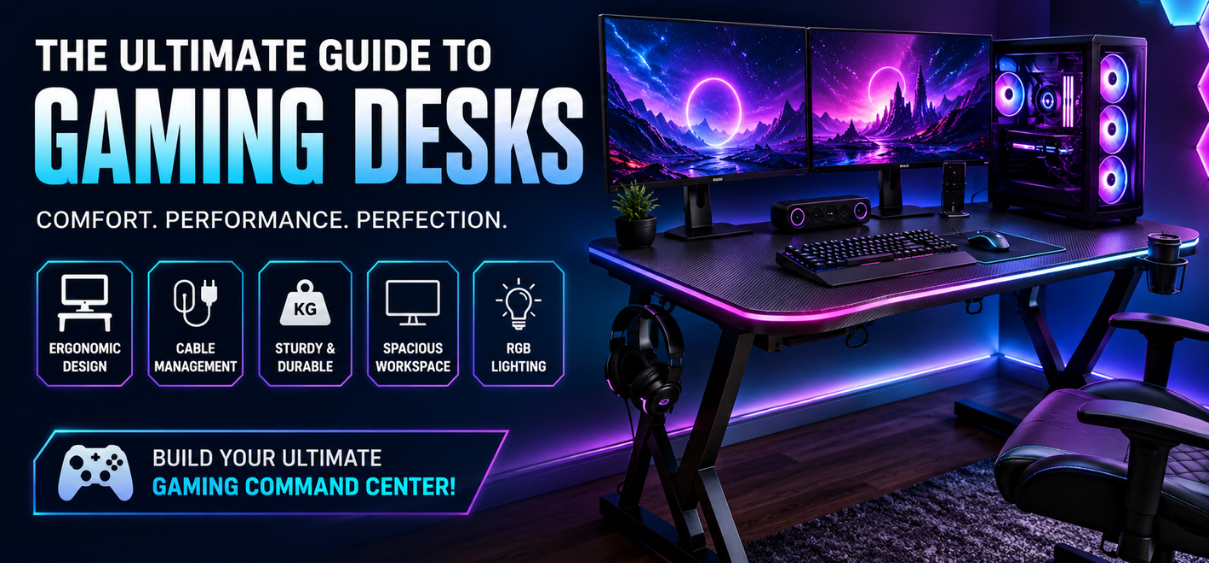
A gaming desk is far more than a piece of furniture. It is the foundation of every gaming setup, directly influencing comfort, performance, organization, and long-term productivity. Whether building a competitive esports station, an immersive streaming studio, or a versatile work-and-play environment, choosing the best computer desk for gaming makes a significant difference.
Modern gaming desks offer features that traditional office desks simply cannot match. Dedicated cable management systems, monitor risers, headset hooks, RGB lighting, sturdy steel frames, carbon fiber finishes, adjustable heights, and spacious desktop surfaces transform an ordinary setup into a professional gaming command center.
In this comprehensive guide, we explore everything you need to know before purchasing the best gaming computer desk, compare the different desk styles, explain important features, discuss ergonomic benefits, and answer the most common questions gamers ask before investing in a gaming desk.
Why Choose a Dedicated Gaming Desk?
A gaming desk is specifically engineered to support gaming equipment while maximizing comfort during extended sessions.
Unlike traditional office desks, gaming desks are built for:
- Gaming monitors
- Mechanical keyboards
- Gaming mouse movement
- Large mouse pads
- Multiple displays
- Gaming PCs
- Console setups
- Cable organization
- Streaming accessories
The additional space allows users to maintain a cleaner and more productive gaming environment.
Benefits of the Best Computer Desks for Gaming
Choosing a premium gaming desk provides numerous advantages.
Better Ergonomics
Proper desk height helps reduce:
- Neck strain
- Shoulder pain
- Wrist fatigue
- Back discomfort
Long gaming sessions become significantly more comfortable.
Superior Cable Management
Built-in cable trays, routing holes, and hidden compartments keep wires organized.
Benefits include:
- Cleaner appearance
- Improved airflow
- Easier maintenance
- Reduced clutter
Enhanced Stability
Gaming PCs and ultrawide monitors are heavy.
Quality gaming desks use:
- Steel frames
- Reinforced supports
- Heavy-duty legs
- Anti-slip feet
This minimizes monitor shake while gaming.
Improved Productivity
A clean gaming setup encourages:
- Better focus
- Efficient multitasking
- Comfortable streaming
- Professional workspace organization
Types of Gaming Computer Desks
1. Standard Gaming Desk
Perfect for:
- Casual gamers
- Students
- Home offices
Advantages:
- Affordable
- Compact
- Easy assembly
- Space-efficient
2. L-Shaped Gaming Desk
An excellent option for users requiring multiple work areas.
Ideal for:
- Dual PCs
- Triple monitors
- Streamers
- Designers
- Content creators
Benefits include:
- Massive desktop space
- Better organization
- Corner utilization
- Separate gaming and work zones
3. Standing Gaming Desk
Height-adjustable gaming desks have become increasingly popular.
Advantages:
- Alternate between sitting and standing
- Better posture
- Reduced fatigue
- Improved circulation
- Healthier work habits
Electric standing desks offer programmable height presets.
4. Corner Gaming Desk
Perfect for maximizing small rooms.
Benefits:
- Efficient space usage
- Excellent monitor positioning
- Large workspace
- Comfortable seating angles
5. RGB Gaming Desk
Designed for immersive gaming setups.
Common features:
- RGB lighting
- Carbon fiber texture
- Headphone hook
- Cup holder
- Cable tray
- Gaming aesthetic
Best Materials for Gaming Desks
Steel Frame
The strongest option.
Pros:
- High durability
- Excellent weight capacity
- Long lifespan
Engineered Wood
A popular choice.
Benefits:
- Cost-effective
- Smooth finish
- Attractive appearance
Solid Wood
Premium option.
Advantages:
- Luxury aesthetics
- Exceptional durability
- Natural finish
Carbon Fiber Surface
Common among gaming desks.
Benefits:
- Water-resistant
- Scratch-resistant
- Modern appearance
- Easy cleaning
Choosing the Right Gaming Desk Size
| Setup | Recommended Width | Recommended Depth |
|---|---|---|
| Single Monitor | 100–120 cm | 60 cm |
| Dual Monitor | 140–160 cm | 70 cm |
| Triple Monitor | 180 cm+ | 80 cm |
| Ultrawide Setup | 160 cm+ | 75 cm |
| Streaming Setup | 180 cm+ | 80 cm |
Essential Gaming Desk Features
The best gaming desks include several useful features.
Cable Management System
Prevents tangled cables.
Monitor Shelf
Improves viewing angle.
Headphone Hook
Convenient storage.
Cup Holder
Protects expensive equipment.
Controller Rack
Keeps accessories organized.
Mouse Pad Surface
Provides maximum movement.
RGB Lighting
Creates immersive environments.
Height Adjustment
Supports ergonomic posture.
Ergonomics: Why It Matters
Professional gamers spend several hours daily at their desks.
An ergonomic desk promotes the following:
- Proper posture
- Comfortable wrist positioning
- Better monitor alignment
- Reduced physical strain
- Increased concentration
Best Gaming Desk for Small Rooms
Compact gaming desks are ideal when space is limited.
Look for:
- Slim profile
- Storage shelves
- Corner design
- Foldable options
- Integrated cable management
Best Gaming Desk for Dual Monitors
A dual-monitor setup requires sufficient width.
Recommended features:
- 140–160 cm desktop
- Strong steel frame
- Reinforced center support
- Cable routing holes
Best Gaming Desk for Triple Monitors
Triple-monitor gaming requires:
- Wide desktop
- High weight capacity
- Deep work surface
- Stable construction
Gaming Desk for Streamers
Content creators require additional space.
Recommended features:
- Microphone arm support
- Camera mount
- Ring light placement
- Audio mixer space
- Capture card storage
Gaming Desk Organization Tips
Maintain a clean workspace by:
- Using cable sleeves
- Installing cable trays
- Mounting power strips
- Organizing accessories
- Cleaning regularly
- Removing unnecessary clutter
How to Choose the Best Computer Desk for Gaming
Before purchasing, consider:
Available Room Size
Measure the room carefully.
Monitor Configuration
Single, dual, or triple monitor setup.
Gaming Platform
- PC
- PlayStation
- Xbox
- Nintendo Switch
Weight Capacity
Heavy gaming PCs require stronger desks.
Material Quality
Prefer steel frames.
Height
Ensure an ergonomic seating position.
Budget
Balance features with affordability.
Common Mistakes to Avoid
Avoid purchasing desks that:
- Lack cable management
- Have weak frames
- Are too small
- Offer poor ergonomics
- Cannot support monitor weight
- Have limited desktop depth
Maintenance Tips
Increase your desk's lifespan by:
- Cleaning weekly
- Tightening screws
- Avoiding excessive moisture
- Using desk mats
- Organizing cables
- Preventing scratches
Gaming Desk Accessories
Popular accessories include:
- RGB light strips
- Monitor arms
- Keyboard trays
- Cable sleeves
- Power strip holders
- Controller stands
- Headphone hooks
- Desk mats
- LED monitor lights
- USB hubs
Gaming Desk Comparison Table
| Feature | Basic Desk | Premium Gaming Desk |
| Cable Management | Basic | Advanced |
| RGB Lighting | No | Yes |
| Cup Holder | No | Yes |
| Headphone Hook | No | Yes |
| Steel Frame | Optional | Yes |
| Height Adjustment | No | Optional |
| Carbon Fiber Finish | Rare | Yes |
| Weight Capacity | Medium | High |
| Mouse Pad Surface | No | Yes |
| Streaming Support | Limited | Excellent |
Final Thoughts
The best computer desk for gaming combines comfort, durability, functionality, and aesthetics into a single workspace. Whether you prefer a compact desk for a small bedroom, an expansive L-shaped workstation for multiple monitors, or an advanced electric standing desk for ergonomic flexibility, selecting the right gaming desk enhances every aspect of your gaming experience.
Investing in a high-quality gaming desk ensures long-term comfort, improved organization, and a cleaner, more efficient setup. By evaluating your available space, equipment requirements, ergonomic needs, and desired features, you can build a gaming environment that supports immersive gameplay, productive streaming, and everyday computing.
FAQs
1. What is a gaming desk?
A gaming desk is a specialized computer desk designed to support gaming equipment with ergonomic and organizational features.
2. Are gaming desks worth buying?
Yes. They provide better comfort, durability, cable management, and workspace organization.
3. What size gaming desk is best?
A width of 140–160 cm suits most dual-monitor setups, while larger desks are ideal for triple monitors.
4. Which material is best for a gaming desk?
Steel-framed desks with engineered wood or carbon-fiber surfaces offer excellent durability and value.
5. Is an L-shaped gaming desk better?
Yes, if you need extra space for multiple monitors, streaming gear, or work.
6. Can I use a gaming desk for work?
Absolutely. Gaming desks are suitable for both gaming and professional workstations.
7. Are standing gaming desks good?
Yes. They improve posture, reduce fatigue, and promote healthier habits.
8. What weight should a gaming desk support?
Aim for a desk with at least 80–100 kg weight capacity for high-end setups.
9. Do gaming desks include cable management?
Many premium models feature built-in cable trays, routing holes, and organizers.
10. What depth should a gaming desk have?
A depth of 70–80 cm provides comfortable viewing distance and workspace.
11. Are RGB gaming desks practical?
Yes. RGB lighting enhances aesthetics and complements modern gaming setups.
12. Can a gaming desk hold dual monitors?
Yes. Choose a desk at least 140 cm wide.
13. What is the ideal height for a gaming desk?
Most desks are around 72–76 cm high, which suits standard ergonomic seating.
14. Are carbon-fiber desk surfaces durable?
Yes. They resist scratches, moisture, and are easy to clean.
15. Do gaming desks come with accessories?
Many include cup holders, headset hooks, controller stands, and cable organizers.
16. Are gaming desks easy to assemble?
Most include instructions and can be assembled with basic tools.
17. How do I clean a gaming desk?
Use a soft microfiber cloth and a mild cleaning solution. Avoid harsh chemicals.
18. Can I mount monitor arms on a gaming desk?
Yes, provided the desktop thickness supports clamp-style mounts.
19. Is a wider desk better for gaming?
A wider desk offers more room for monitors, peripherals, and accessories.
20. What desk is best for streamers?
A large L-shaped or standing desk with ample space for microphones, cameras, and lighting is ideal.
21. Are gaming desks suitable for console gaming?
Yes. They accommodate consoles, monitors, and accessories efficiently.
22. How long do gaming desks last?
A quality desk can last many years with proper care and maintenance.
23. Can gaming desks improve posture?
Yes. Ergonomic dimensions help reduce strain during long sessions.
24. Do gaming desks reduce cable clutter?
Yes. Integrated cable management keeps wires organized and out of sight.
25. What should I prioritize when buying a gaming desk?
Focus on build quality, desk size, ergonomics, weight capacity, cable management, and features that match your gaming setup.