
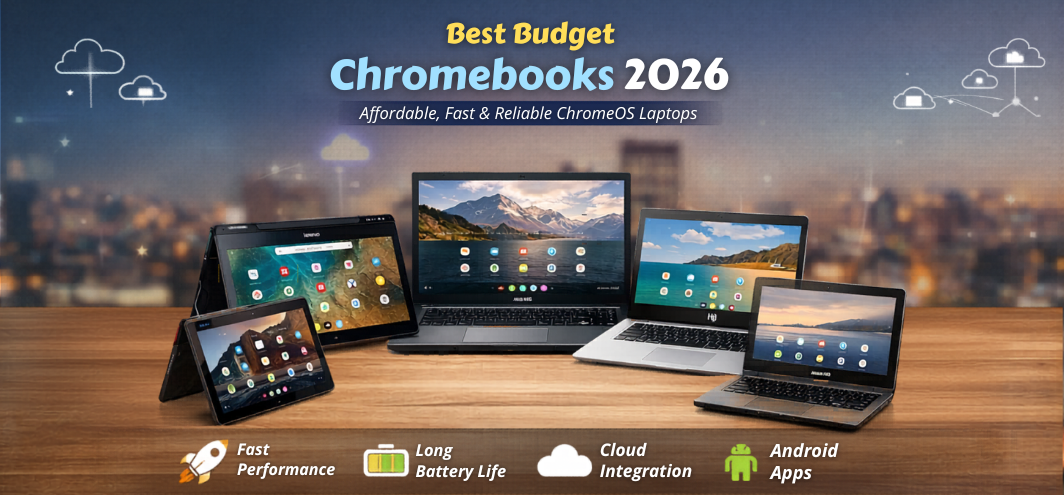
The modern computing landscape has shifted dramatically toward cloud-first productivity, lightweight operating systems, and affordable computing devices. As a result, Chromebooks have become one of the most popular budget laptop choices worldwide. Designed around the ChromeOS ecosystem, these devices deliver fast boot times, excellent battery life, simple security, and seamless integration with Google services.
In 2026, budget Chromebooks have evolved into powerful yet affordable machines capable of handling online learning, office productivity, web development, streaming, and everyday computing tasks. Many models now feature Full HD displays, efficient processors, long-lasting batteries, and premium designs, making them a compelling alternative to traditional budget laptops.
This comprehensive guide explores the best budget Chromebooks available today, including their performance capabilities, design features, battery efficiency, and value for money.
What is a Chromebook? A Simple Yet Powerful Cloud Laptop
A Chromebook is a laptop that runs Google’s ChromeOS operating system, which focuses on cloud-based computing and web applications.
Unlike traditional operating systems, ChromeOS is designed to provide:
-
Lightning-fast startup times
-
Automatic system updates
-
Built-in virus protection
-
Google Workspace integration
-
Android app compatibility
-
Cloud-based storage
Budget Chromebooks are particularly popular among students, teachers, remote workers, and casual users because they provide reliable performance at a fraction of the cost of traditional laptops.
Why Budget Chromebooks Are the Smartest Laptop Choice in 2026
The popularity of Chromebooks continues to grow due to several advantages:
Exceptional Affordability
Most budget Chromebooks cost significantly less than traditional laptops while delivering smooth performance for everyday tasks.
Fast and Efficient ChromeOS
ChromeOS is optimized to run efficiently even on entry-level hardware, ensuring snappy performance and quick application launches.
Long Battery Life
Budget Chromebooks commonly deliver 10–15 hours of battery life, making them perfect for students and mobile professionals.
Seamless Google Integration
Chromebooks are deeply integrated with:
-
Google Drive
-
Google Docs
-
Google Sheets
-
Google Meet
-
Google Classroom
This makes them ideal for cloud-based productivity and education.
Key Features to Look for in a Budget Chromebook
Processor Performance
Budget Chromebooks typically use energy-efficient processors such as:
-
Intel Celeron
-
Intel N-series processors
-
MediaTek Kompanio processors
-
Intel Core i3 (premium budget models)
These processors are optimized for web browsing, streaming, and multitasking with lightweight applications.
RAM and Storage
The ideal configuration for a budget Chromebook includes:
| Component | Recommended Specification |
|---|---|
| RAM | 8GB |
| Storage | 64GB – 128GB eMMC or SSD |
| Cloud Storage | Google Drive |
ChromeOS relies heavily on cloud storage, which allows devices with smaller internal storage to perform efficiently.
Display Quality
Even budget Chromebooks now offer impressive displays.
Important features include:
-
Full HD resolution (1920x1080)
-
IPS panels for better viewing angles
-
Anti-glare screens
-
Touchscreen capability on select models
These features improve usability for students, professionals, and content consumers.
Battery Life
One of the strongest advantages of Chromebooks is battery performance.
Typical battery life includes:
-
10–15 hours of usage
-
Fast charging support
-
Efficient power consumption
Build Quality and Portability
Budget Chromebooks prioritize lightweight construction and portability.
Typical specifications include:
-
Weight: 1.1 kg – 1.5 kg
-
Thickness: 15–18 mm
-
Materials: Plastic or aluminum chassis
This makes them perfect for students carrying devices throughout the day.
Best Budget Chromebooks in 2026
1. Acer Chromebook Spin 314
The Acer Chromebook Spin 314 delivers exceptional value with its convertible design and reliable performance.
| Feature | Details |
|---|---|
| Processor | Intel N200 |
| RAM | 8GB |
| Storage | 128GB eMMC |
| Display | 14" Full HD Touch |
| Battery | Up to 12 hours |
| Weight | 1.5 kg |
Key Highlights
-
Convertible 2-in-1 design
-
Strong battery life
-
Smooth ChromeOS experience
2. Lenovo IdeaPad Flex 3 Chromebook
The IdeaPad Flex 3 is one of the most versatile budget Chromebooks with excellent portability and touchscreen functionality.
| Feature | Details |
|---|---|
| Processor | MediaTek Kompanio |
| RAM | 8GB |
| Storage | 64GB eMMC |
| Display | 11.6" HD Touch |
| Battery | 12 hours |
| Weight | 1.25 kg |
Key Highlights
-
Compact and lightweight
-
360-degree hinge
-
Affordable price point
3. ASUS Chromebook CX1
The ASUS Chromebook CX1 is known for its durable design and dependable everyday performance.
| Feature | Details |
|---|---|
| Processor | Intel Celeron N4500 |
| RAM | 8GB |
| Storage | 128GB |
| Display | 15.6" Full HD |
| Battery | 11 hours |
| Weight | 1.7 kg |
Key Highlights
-
Large display
-
Military-grade durability
-
Smooth multitasking
4. HP Chromebook 14
The HP Chromebook 14 combines stylish design with strong battery performance, making it ideal for students.
| Feature | Details |
|---|---|
| Processor | Intel N100 |
| RAM | 8GB |
| Storage | 64GB |
| Display | 14" Full HD |
| Battery | 13 hours |
| Weight | 1.4 kg |
Key Highlights
-
Comfortable keyboard
-
Slim profile
-
Reliable performance
5. Samsung Chromebook 4
The Samsung Chromebook 4 remains one of the most dependable budget Chromebooks with solid build quality and excellent portability.
| Feature | Details |
|---|---|
| Processor | Intel Celeron |
| RAM | 4GB / 8GB |
| Storage | 64GB |
| Display | 11.6" HD |
| Battery | 12 hours |
| Weight | 1.18 kg |
Key Highlights
-
Ultra-portable design
-
Affordable pricing
-
Reliable performance
Chromebook vs Traditional Budget Laptop
| Feature | Chromebook | Traditional Laptop |
|---|---|---|
| Operating System | ChromeOS | Windows |
| Boot Speed | Very fast | Moderate |
| Security | Built-in protection | Requires antivirus |
| Price | Lower | Higher |
| Maintenance | Minimal | Frequent updates |
Chromebooks prioritize simplicity, speed, and cloud computing, making them perfect for everyday users.
Advantages of Budget Chromebooks
1. Instant Boot Times
Chromebooks start in less than 10 seconds, allowing users to begin work immediately.
2. Built-in Security
ChromeOS provides automatic updates, sandboxing, and verified boot, eliminating most security concerns.
3. Android App Support
Chromebooks can run thousands of Android apps from the Google Play Store, greatly expanding their functionality.
4. Easy Maintenance
Automatic system updates ensure the device remains secure and optimized without user intervention.
Who Should Buy a Budget Chromebook?
Budget Chromebooks are ideal for:
-
Students
-
Teachers
-
Remote workers
-
Writers
-
Online learners
-
Casual users
-
Families
These devices excel at web-based productivity and online collaboration.
Best Chromebook Brands
The Chromebook market includes several trusted manufacturers:
Acer
Known for affordable and durable Chromebooks.
Lenovo
Offers innovative convertible designs and reliable performance.
ASUS
Focuses on durability and value for money.
HP
Produces stylish Chromebooks with strong battery life.
Samsung
Known for lightweight and premium Chromebook designs.
Chromebook Price Range
| Category | Price Range |
|---|---|
| Entry Level | $200 – $300 |
| Mid Budget | $300 – $500 |
| Premium Chromebook | $500 – $800 |
Future of Budget Chromebooks
Chromebooks are rapidly evolving with new technologies such as:
-
AI-powered ChromeOS features
-
Improved offline functionality
-
Better Android app compatibility
-
More powerful ARM processors
-
Enhanced battery optimization
These innovations ensure that Chromebooks will remain one of the most efficient and affordable computing solutions available.
Key Takeaways
-
Budget Chromebooks offer excellent value for everyday computing tasks.
-
ChromeOS provides fast performance and strong security.
-
Battery life often exceeds 10 hours.
-
Cloud integration enhances productivity and collaboration.
-
Chromebooks are perfect for students, professionals, and casual users.
25 FAQs
1. What is a Chromebook?
A Chromebook is a laptop that runs ChromeOS, designed for cloud-based computing.
2. Are Chromebooks good for students?
Yes, they are lightweight, affordable, and perfect for online learning.
3. Do Chromebooks work offline?
Yes, many apps support offline functionality.
4. Are Chromebooks faster than Windows laptops?
For web tasks, Chromebooks often feel faster.
5. Can Chromebooks run Android apps?
Yes, through the Google Play Store.
6. Are Chromebooks secure?
ChromeOS includes strong built-in security features.
7. How much RAM should a Chromebook have?
8GB is ideal for multitasking.
8. What storage do Chromebooks use?
Most use eMMC or SSD storage.
9. Do Chromebooks support Microsoft Office?
Yes, via web versions or Android apps.
10. Can Chromebooks edit documents?
Yes, using Google Docs or Microsoft Office.
11. Are Chromebooks good for browsing?
Yes, they are optimized for web usage.
12. Can Chromebooks run Linux apps?
Yes, many models support Linux environments.
13. What is the battery life of Chromebooks?
Typically 10–15 hours.
14. Are Chromebooks good for travel?
Yes, due to lightweight designs.
15. Can Chromebooks play games?
Yes, via Android apps and cloud gaming.
16. Do Chromebooks support external monitors?
Yes, most models include HDMI or USB-C.
17. Are Chromebooks durable?
Many models meet military durability standards.
18. Do Chromebooks need antivirus?
No, ChromeOS includes built-in security.
19. What is ChromeOS?
Google’s lightweight operating system for cloud computing.
20. Are Chromebooks good for writing?
Yes, they are perfect for writers and bloggers.
21. Do Chromebooks receive updates?
Yes, ChromeOS updates automatically.
22. Can Chromebooks run Zoom?
Yes, via the web or Android app.
23. Are Chromebooks good for teachers?
Yes, especially with Google Classroom integration.
24. Do Chromebooks support touchscreens?
Many models offer touchscreen displays.
25. Are Chromebooks worth buying?
Yes, they provide excellent value for everyday tasks.