
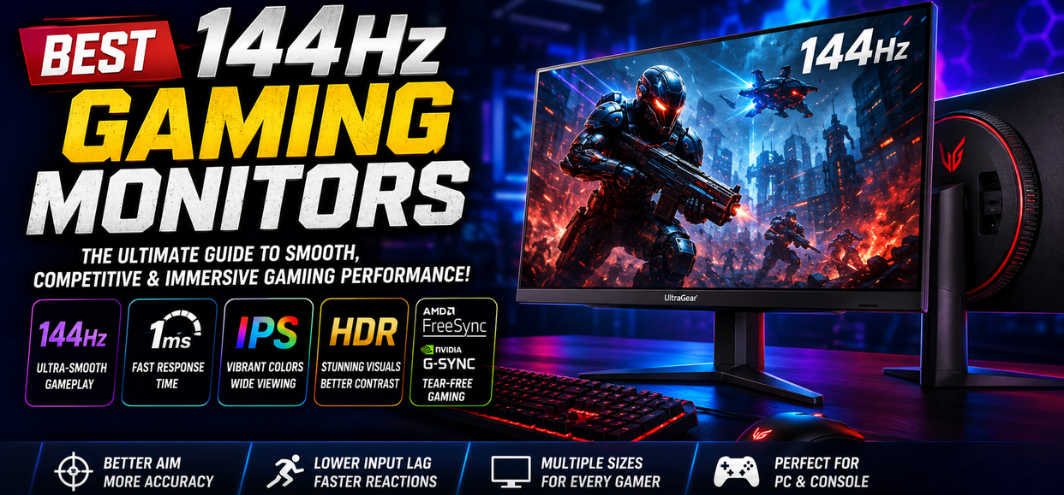
The gaming industry has rapidly evolved into a highly competitive and visually advanced ecosystem where display performance directly impacts reaction speed, gameplay precision, visual clarity, and overall immersion. Among all gaming display technologies available today, the best 144Hz gaming monitors continue to dominate the market because they provide the perfect balance between ultra-smooth gameplay, competitive responsiveness, affordability, and hardware compatibility.
A 144Hz gaming monitor delivers a dramatically smoother visual experience compared to traditional 60Hz displays. Whether we are competing in fast-paced esports matches, exploring visually stunning open-world environments, racing through ultra-realistic tracks, or streaming gameplay content, a high-quality 144Hz monitor significantly improves responsiveness, motion clarity, and player accuracy.
Modern 144Hz gaming monitors now include advanced technologies such as Fast IPS panels, 1ms response times, HDR support, AMD FreeSync, NVIDIA G-SYNC compatibility, QHD resolutions, ultra-wide aspect ratios, and even OLED gaming panels. These features have transformed 144Hz displays into the ideal sweet spot for both casual and professional gamers.
This comprehensive guide explores everything about the best 144Hz gaming monitors, including key features, panel technologies, resolutions, gaming performance, monitor sizes, adaptive sync technologies, HDR capabilities, buying considerations, and the top 144Hz gaming displays available today.
Why 144Hz Gaming Monitors Are Essential for Modern Gaming
Refresh rate determines how many times per second a monitor updates the displayed image. A traditional 60Hz monitor refreshes the screen 60 times per second, while a 144Hz monitor refreshes 144 times per second.
The result is dramatically smoother gameplay with:
- Reduced motion blur
- Better target tracking
- Lower perceived input lag
- Improved visual fluidity
- Faster reaction accuracy
Competitive gamers immediately notice the difference when transitioning from 60Hz to 144Hz.
Benefits of Using a 144Hz Gaming Monitor
Ultra-Smooth Motion Clarity
Fast-moving gameplay appears significantly clearer on a 144Hz display. Rapid camera movements and character motion remain sharp instead of becoming blurry.
Improved Competitive Performance
Higher refresh rates help players:
- Track enemies more accurately
- React faster
- Aim more precisely
- Reduce visual distractions
Games like:
- Valorant
- Counter-Strike 2
- Apex Legends
- Fortnite
- Call of Duty
benefit enormously from 144Hz gameplay.
Lower Input Lag
144Hz monitors reduce the delay between:
- Mouse movement
- Keyboard input
- On-screen response
This creates a more responsive gaming experience.
Enhanced Visual Fluidity
Even outside gaming, 144Hz displays improve:
- Desktop navigation
- Web browsing
- Video editing
- Scrolling smoothness
144Hz vs 60Hz Gaming Monitors
| Feature | 60Hz Monitor | 144Hz Monitor |
|---|---|---|
| Motion Clarity | Standard | Extremely smooth |
| Input Lag | Higher | Lower |
| Competitive Gaming | Limited | Excellent |
| Visual Fluidity | Basic | Premium |
| Target Tracking | Moderate | Superior |
Once gamers experience 144Hz gameplay, returning to 60Hz often feels sluggish.
Best Panel Types for 144Hz Gaming Monitors
IPS Panels
IPS monitors dominate the modern 144Hz market.
Advantages
- Excellent color accuracy
- Wide viewing angles
- Strong motion handling
- Vibrant visuals
Best For
- Competitive gaming
- Content creation
- Streaming
Fast IPS technology now delivers near-TN-level response times.
VA Panels
VA panels offer stronger contrast and deeper blacks.
Advantages
- Better cinematic immersion
- High contrast ratios
- Excellent dark-scene performance
Disadvantages
- Slight ghosting in some models
Best For
- RPG games
- Story-driven titles
- Racing simulators
TN Panels
TN technology focuses heavily on speed.
Advantages
- Ultra-fast response times
- Minimal motion blur
- Affordable pricing
Disadvantages
- Poorer color reproduction
- Narrow viewing angles
Best For
- Professional esports
OLED Gaming Panels
OLED displays deliver elite-level gaming visuals.
Advantages
- Instant response times
- Infinite contrast
- Perfect blacks
- Outstanding HDR
Disadvantages
- Premium pricing
OLED 144Hz monitors provide some of the best gaming experiences available today.
Best Resolutions for 144Hz Gaming Monitors
1080p 144Hz Gaming Monitors
Advantages
- Easier GPU requirements
- High FPS performance
- Affordable pricing
Best For
- Esports
- Competitive shooters
- Budget gaming PCs
1440p 144Hz Gaming Monitors
1440p has become the ideal gaming resolution.
Advantages
- Sharper visuals
- Better immersion
- Excellent performance balance
Best For
- AAA gaming
- Mixed competitive and casual gaming
4K 144Hz Gaming Monitors
4K 144Hz gaming represents premium gaming performance.
Advantages
- Incredible detail
- Cinematic visuals
- Future-proof gaming
Disadvantages
- Requires powerful GPUs
Best 144Hz Gaming Monitors in 2026
1. LG UltraGear 27GP850-B
Specifications
- 27-inch QHD display
- Nano IPS technology
- 165Hz overclocked refresh rate
- 1ms response time
- G-SYNC Compatible
Why It Stands Out
LG’s UltraGear series remains one of the most respected gaming monitor lineups because of its exceptional motion handling, color accuracy, and low input lag.
Best For
- Competitive gaming
- AAA gaming
- Content creators
2. ASUS TUF Gaming VG27AQ
Specifications
- 27-inch IPS panel
- 1440p resolution
- ELMB Sync technology
- Adaptive Sync support
Gaming Experience
ASUS delivers superb motion clarity and excellent gaming responsiveness with premium esports-focused features.
Best For
- FPS games
- Multiplayer gaming
- High-refresh competitive gameplay
3. Samsung Odyssey G5
Specifications
- 144Hz refresh rate
- 1000R curved display
- QHD resolution
- FreeSync Premium
Why Gamers Love It
The aggressive curvature and immersive visuals create a highly engaging gaming environment.
Best For
- Racing games
- RPG titles
- Immersive gaming setups
4. Gigabyte M27Q
Specifications
- Fast IPS panel
- KVM functionality
- 170Hz refresh rate
- HDR support
Performance Highlights
Gigabyte offers exceptional value with premium gaming performance and productivity-oriented features.
Best For
- Dual-device setups
- Streamers
- Productivity gamers
5. MSI MAG274QRF-QD
Specifications
- Quantum Dot IPS panel
- Wide color gamut
- 165Hz refresh rate
- 1ms response time
Why It Excels
The Quantum Dot technology produces vibrant visuals while maintaining excellent competitive responsiveness.
Best For
- Creative professionals
- Competitive gamers
- HDR gaming
Best 144Hz Gaming Monitor Sizes
24-Inch Gaming Monitors
Advantages
- Easier eye tracking
- Sharper 1080p pixel density
- Ideal for esports
Best For
- Competitive gaming
- Smaller desks
27-Inch Gaming Monitors
Advantages
- Greater immersion
- Better multitasking
- Ideal for 1440p
Best For
- AAA gaming
- Productivity
- Mixed gaming
32-Inch Gaming Monitors
Advantages
- Massive immersion
- Excellent cinematic visuals
Best For
- Console gaming
- RPGs
- Story-focused gaming
Curved vs Flat 144Hz Gaming Monitors
Curved Monitors
Advantages
- Better immersion
- Wider field of view
- Improved peripheral engagement
Best For
- Racing simulators
- Open-world games
Flat Monitors
Advantages
- Better esports focus
- More accurate geometry
- Lower pricing
Best For
- Competitive FPS gaming
Adaptive Sync Technologies
AMD FreeSync
FreeSync synchronizes monitor refresh rates with GPU output.
Benefits
- Eliminates screen tearing
- Reduces stuttering
- Improves gameplay smoothness
NVIDIA G-SYNC Compatible
Many modern 144Hz monitors now support G-SYNC compatibility.
Benefits
- Smooth frame pacing
- Better competitive responsiveness
- Reduced input latency
HDR in 144Hz Gaming Monitors
HDR improves:
- Brightness
- Color vibrancy
- Contrast depth
- Shadow detail
HDR Standards
| HDR Certification | Performance Level |
|---|---|
| HDR400 | Entry-level HDR |
| HDR600 | Strong HDR experience |
| HDR1000 | Premium cinematic HDR |
Best 144Hz Gaming Monitors for Different Gaming Genres
Best for FPS Games
Recommended Features
- 1ms response time
- Fast IPS panel
- Low input lag
Best Games
- Valorant
- CS2
- Rainbow Six Siege
Best for RPG Games
Recommended Features
- High contrast ratio
- HDR support
- Larger displays
Best Games
- Cyberpunk 2077
- Elden Ring
- The Witcher 3
Best for Racing Games
Recommended Features
- Curved ultra-wide panel
- High refresh rate
- Adaptive sync
Best Games
- Forza Horizon 5
- Assetto Corsa
- Gran Turismo
Connectivity Features to Consider
DisplayPort
Preferred for:
- PC gaming
- High refresh rate gaming
- G-SYNC support
HDMI 2.1
Essential for:
- PlayStation 5
- Xbox Series X
- 4K 120Hz gaming
USB-C
Useful for:
- Laptop connectivity
- Productivity setups
- Streamlined cable management
Best Budget 144Hz Gaming Monitors
Under ₹15,000
- Acer Nitro VG240YS
- MSI G2412
- ASUS VG249Q1A
Under ₹25,000
- Gigabyte G27Q
- LG UltraGear 27GN800
- Samsung Odyssey G5
Premium 144Hz Gaming Monitors
- Alienware AW3423DWF
- ASUS ROG Swift OLED PG27AQDM
- Samsung Odyssey OLED G9
How to Choose the Best 144Hz Gaming Monitor
Choose the Right Resolution
Competitive Gamers
1080p remains ideal for maximum FPS.
Gamers
1440p offers the best visual balance.
Enthusiasts
4K provides unmatched detail.
Consider GPU Performance
High refresh rate gaming requires powerful hardware.
| GPU Tier | Recommended Resolution |
|---|---|
| Entry-level | 1080p |
| Mid-range | 1440p |
| High-end | 4K |
Evaluate Panel Quality
Fast IPS panels currently offer the best balance between:
- Speed
- Color accuracy
- Viewing angles
Common Mistakes When Buying 144Hz Gaming Monitors
Ignoring Response Time
A slow response time can introduce ghosting.
Choosing Weak HDR Implementations
Not all HDR monitors deliver meaningful HDR performance.
Buying Without Adaptive Sync
FreeSync and G-SYNC improve overall smoothness dramatically.
Overlooking Ergonomics
Height adjustment and tilt improve long-term comfort.
Gaming Setup Optimization Tips
Enable 144Hz in Windows
Many users forget to activate high refresh rate settings.
Use DisplayPort Whenever Possible
DisplayPort often provides the best compatibility for high refresh rates.
Calibrate Color Settings
Proper calibration improves visibility and color accuracy.
Future of 144Hz Gaming Monitors
Gaming monitor technology continues advancing rapidly.
Emerging Trends
- OLED gaming monitors
- Mini-LED displays
- 240Hz QHD panels
- 480Hz esports monitors
- AI-powered display optimization
Despite higher refresh rate advancements, 144Hz remains the ideal balance for most gamers.
Conclusion
The modern market for the best 144Hz gaming monitors delivers exceptional performance, responsiveness, immersion, and visual quality for every gaming style and budget. Whether we prioritize esports-level competitive precision, cinematic single-player immersion, ultra-wide productivity, or HDR-enhanced realism, today’s 144Hz gaming monitors provide the ideal balance between smooth gameplay and affordability.
From budget-friendly 1080p esports displays to premium OLED ultra-wide gaming monitors, the variety of available options ensures every gamer can find a display tailored perfectly to their performance requirements and visual preferences.
A high-quality 144Hz gaming monitor is no longer considered a luxury—it has become the standard for serious modern gaming.
FAQs
1. Is 144Hz worth it for gaming?
Yes, 144Hz dramatically improves smoothness and responsiveness.
2. Can the human eye notice 144Hz?
Yes, the difference between 60Hz and 144Hz is immediately noticeable.
3. Is 144Hz enough for esports?
Yes, many professional gamers still use 144Hz monitors.
4. What is the best resolution for 144Hz gaming?
1440p offers the best overall balance.
5. Is IPS better than VA for gaming?
IPS provides better motion clarity and colors.
6. Are curved 144Hz monitors good?
Yes, especially for immersive gaming genres.
7. What GPU is needed for 144Hz gaming?
Mid-range and high-end GPUs perform best.
8. Is HDMI enough for 144Hz?
Modern HDMI standards support 144Hz.
9. Does 144Hz reduce input lag?
Yes, significantly.
10. What response time is best?
1ms is ideal for competitive gaming.
11. Is 144Hz good for console gaming?
Yes, especially for PS5 and Xbox Series X.
12. Are OLED gaming monitors worth it?
Yes, OLED delivers incredible visuals and response times.
13. Can laptops use 144Hz monitors?
Yes, via HDMI or DisplayPort connections.
14. Is G-SYNC necessary?
Adaptive sync improves smoothness considerably.
15. What monitor size is best?
24-inch and 27-inch remain the most popular.
16. Is 1080p still good in 2026?
Yes, especially for esports.
17. Are 144Hz monitors expensive?
Excellent budget options now exist.
18. Is HDR important?
HDR enhances visual realism significantly.
19. What panel type is fastest?
OLED currently offers the fastest response times.
20. Are 240Hz monitors better?
Yes for elite esports players, but 144Hz remains excellent.
21. Do 144Hz monitors improve aim?
They improve tracking and responsiveness.
22. What is motion blur reduction?
Technology that improves clarity during fast movement.
23. Is DisplayPort better than HDMI?
For PC gaming, DisplayPort is often preferred.
24. Can 144Hz monitors be used for work?
Yes, they improve overall desktop smoothness.
25. What is the best overall 144Hz gaming monitor?
LG UltraGear and ASUS TUF Gaming monitors remain top choices.